Build Your Own AI Content Studio: A Practical Open-Source Workflow for Creators and Freelancers
A practical creator workflow turning one recording into Shorts, visuals, posts, newsletters, bookings, CRM records, memory, and measurable AI workflows using 17 open-source and local-first tools.
There is a particular kind of tiredness that freelancers and creators know very well.
You finish the actual client work or research, and then the second shift begins.
The video still needs trimming. The captions need checking. A thumbnail is missing. The LinkedIn post is half-written. The newsletter has not gone out. A prospect wants a booking link. A client message is sitting unanswered. You vaguely remember agreeing to a different caption style last week, but you cannot remember where that decision was written down.
By 11:30 at night, the laptop is full of tabs and the creator is doing the job of an editor, designer, social-media manager, sales coordinator, CRM operator, analyst, and archivist.
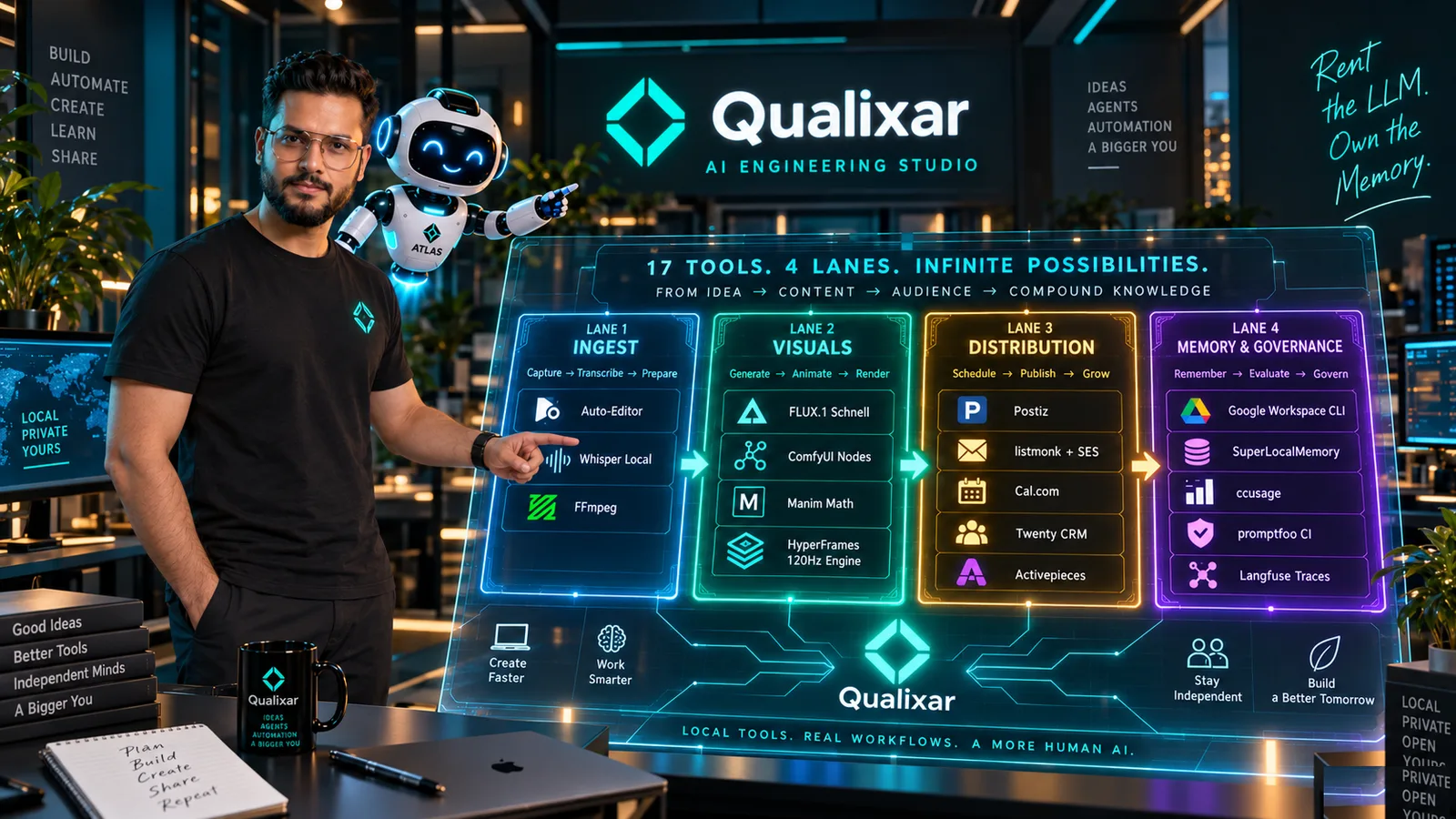
That is the problem I set out to solve in Episode 3 of The $6 AI Company.
Not: “Which new AI app should I subscribe to?”
A better question is:
How do I turn one piece of useful work into a repeatable creator system that I can understand, control, and improve?
This article walks through that system in plain language. It is built for creators, freelancers, consultants, educators, small agencies, and independent engineers who want a dependable pipeline without becoming full-time infrastructure maintainers.
The system uses local and open-source tools where they make sense, self-hosted business tools where ownership is essential, and human review where judgment still matters.
If you remember only one principle from this article:
Record once. Create deliberately. Repurpose intelligently. Publish consistently. Keep the business state. Learn from every cycle.
Watch the Complete Build First
Episode 3 demonstrates this workflow end-to-end as a functioning system:
- Video Masterclass: I Built an Entire AI Content Studio for $6.00 — 0 Cloud SaaS
- Full Series Playlist: The $6 AI Company Series
If you prefer to build alongside the video, keep these two guides open:
- The $6 AI Company Blueprint — the business and infrastructure foundation.
- Local AI Creator Studio Playbook — the creator-focused implementation guide.
The Real Shift: Stop Thinking in Tools, Start Thinking in a Journey
Most “AI tools for creators” roundups are shopping lists: one app for clips, another for captions, another for images, another for scheduling, another for email, another for CRM, another for webhooks.
That approach creates a predictable paradox: you become more automated and more fragmented at the same time.
A creator system should be designed around the journey of one idea.
Your idea starts as a recording. It becomes a clean transcript. The strongest moments become clips. Key concepts receive visual clarity. The finished assets are scheduled. Engaged viewers become newsletter subscribers or booking requests. Real prospects enter CRM records. Decisions are retained in memory. Outputs are evaluated. The next production cycle gets sharper.
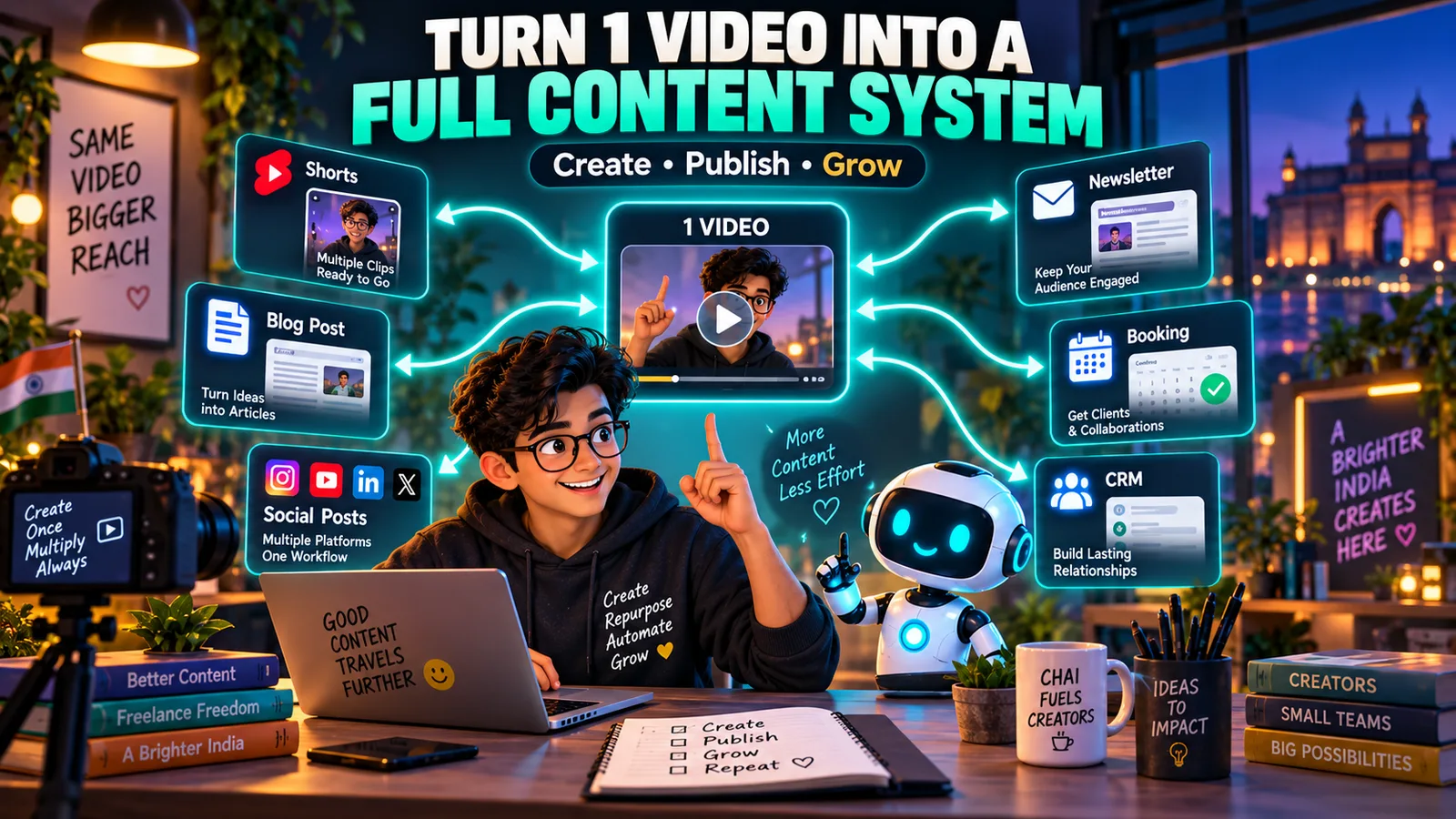
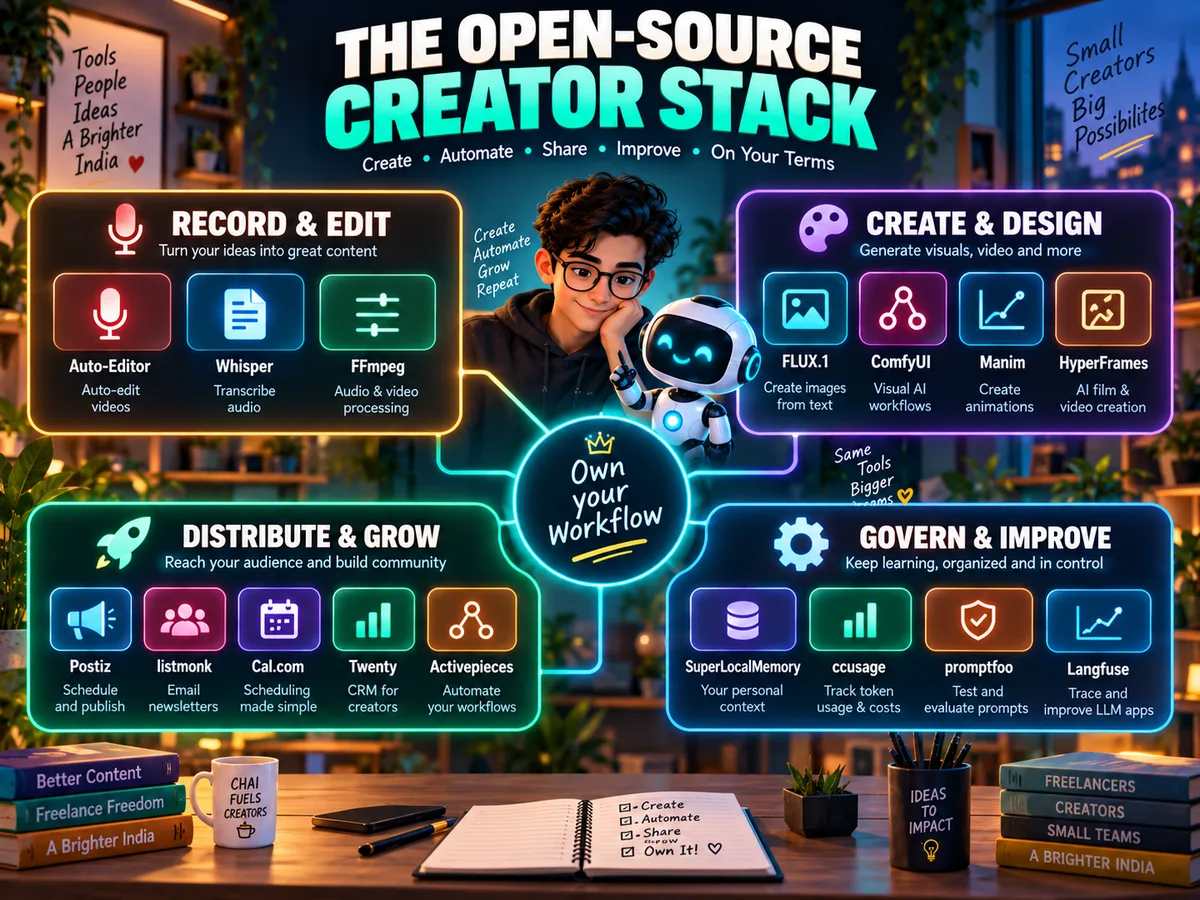
In Episode 3, we organize this journey into four operating lanes:
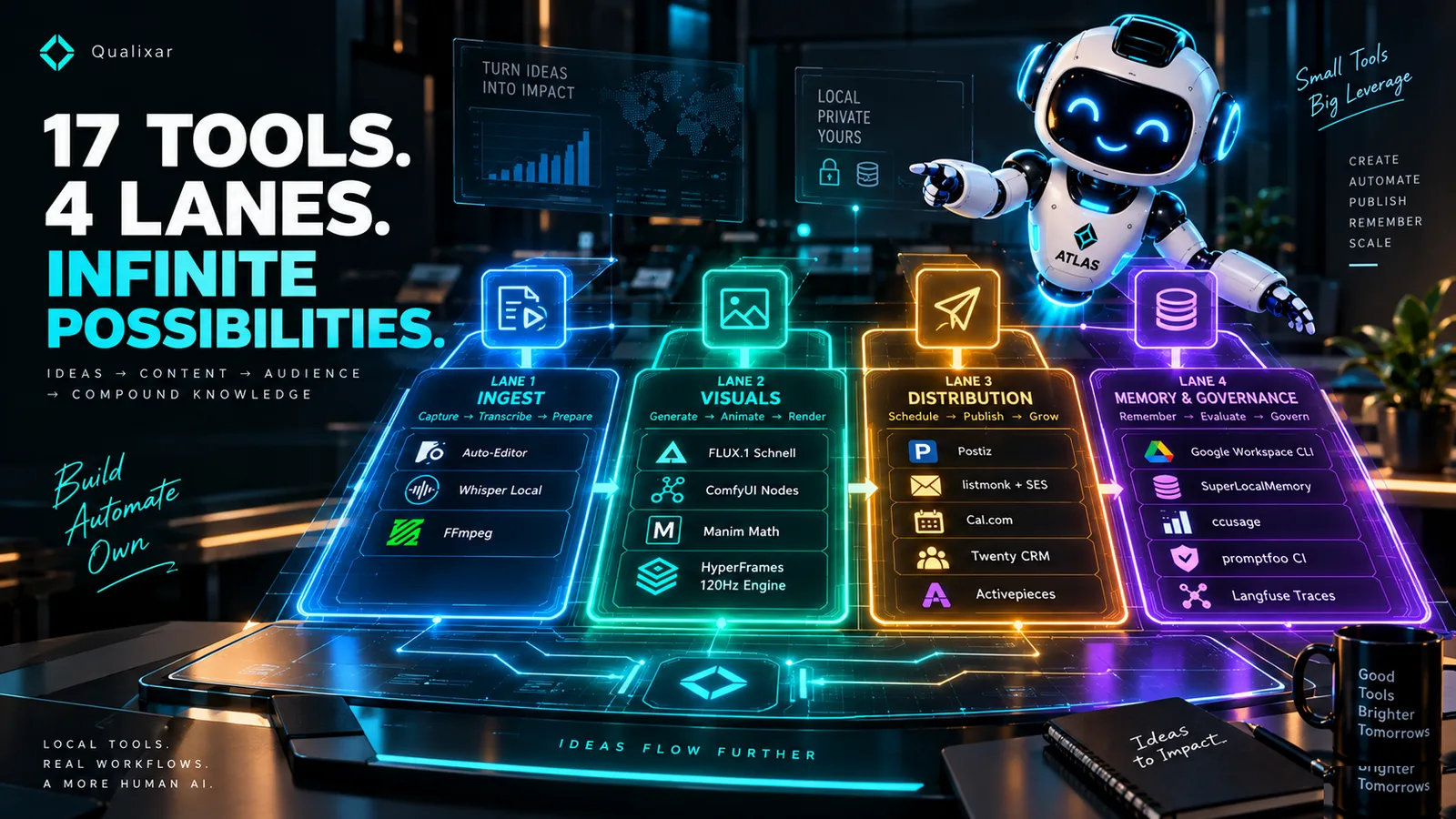
- Ingest and shape the source — Auto-Editor, Whisper, and FFmpeg.
- Create the visual layer — FLUX.1 Schnell, ComfyUI, Manim, and HyperFrames.
- Distribute and operate the audience journey — Postiz, listmonk, Cal.diy, Twenty CRM, and Activepieces.
- Remember, measure, and improve — Google Workspace CLI, SuperLocalMemory, ccusage, promptfoo, and Langfuse.
Seventeen tools sound overwhelming until you stop seeing seventeen logos and start seeing four jobs.

First Rule of This Stack: Do not install everything at once. Build one complete working path first. Add a tool only when it removes an active bottleneck.
Technical Architecture Blueprint
For software engineers, DevOps specialists, and technical founders, here is how the 17 tools connect across processes, local compute, and Docker services:
Lane 1: Turn the Recording into Useful Material
Imagine you record a 35-minute conversation about a client lesson, architecture pattern, or product walkthrough.
The raw file is not content yet. It is raw material. Your first job is to turn that source into something searchable and editable.
Auto-Editor: Remove Mechanical Editing Work
Auto-Editor handles one repetitive, expensive task: identifying sections of audio activity and cutting dead pauses.
Think of it as a first-pass assistant, not a film director. It saves you from manually scrubbing through silent gaps, but you still determine whether a pause carries dramatic weight, whether a sentence requires prior context, and whether a cut preserves clarity.
Whisper: Turn Speech into Structured Text
Whisper provides the transcript with millisecond-accurate word timestamps. Once speech becomes structured JSON, an AI agent can:
- Identify candidate vertical clips;
- Extract pull quotes;
- Draft platform-native posts;
- Index technical terms and chapters;
- Search the recording without scrubbing the timeline.
FFmpeg: The Workhorse Underneath the Studio
FFmpeg is the utility layer: demuxing audio tracks, transcoding formats, slicing clips by timestamp, and exporting vertical 9:16 aspect ratios. A robust creator workflow requires stable command-line primitives that run identically every single week.
raw-video.mp4
    ↓
Auto-Editor → clean cut candidate
    ↓
Whisper → transcript + timestamps (JSON/SRT)
    ↓
FFmpeg → vertical clips + master audio extraction
Before generating derivative assets, ask one editorial question:
“If a stranger encounters this 45-second clip without prior context, will it deliver standalone value?”
If the answer is no, refine the boundary before touching any visual tool.
Lane 2: Build Visuals That Remain Editable
Generative image tools often fail technical creators in a subtle way: the aesthetic looks polished, but the text is misspelled, diagrams are hallucinated, or a client asks to change one number and you must reroll the entire diffusion pass.
We solve this by decoupling atmosphere generation from editable technical content.
FLUX.1 Schnell: Atmospheric Background Plates
FLUX.1 Schnell is designed for fast, local 1-to-4 step generation under Apache 2.0. We use it to produce studio environments, textured backdrop plates, and concept frames. Crucially, we never bake typography into diffusion pixels.
ComfyUI: Deterministic Node Workflows
ComfyUI transforms image generation into a reproducible graph. If you find a lighting setup or upscaling pipeline that matches your visual identity, you save the JSON node recipe. Next week, you swap the prompt and generate matching assets without guessing seed parameters.
Manim: Explaining Logic with Programmatic Motion
Certain ideas demand moving geometry, not stylized diffusion art: architecture flows, state transitions, algorithmic comparisons, and vector math. Because Manim scripts are pure Python, a coding agent can generate and iterate on motion diagrams directly from your transcript.
HyperFrames: Rendering Web Standards as High-Frame-Rate Video
HyperFrames is our secret weapon: it compiles standard HTML, CSS, and GSAP animations into deterministic 60fps/120fps video frames.
Text remains genuine DOM elements. Color tokens, logos, and layouts can be tweaked in CSS in seconds, eliminating hours of video re-rendering.
Diffusion (FLUX / ComfyUI) → Cinematic background plates
Manim                      → Dynamic logic & system diagrams
HyperFrames (HTML / CSS)   → Dynamic typography, HUDs, and final composition
Lane 3: Distribution, CRM, and the Audience Loop
Creating great content is only half the battle. If distribution is an afterthought, your reach remains capped and your leads slip through the cracks.
Postiz: Multi-Channel Social Scheduling
Postiz is an open-source, self-hosted scheduling engine. Instead of context-switching between four social apps during the workday, you load your pipeline queue once. Each platform receives its native treatment:
- YouTube: Full masterclass walkthrough;
- LinkedIn: Engineering post with technical takeaways;
- X: Direct architecture breakdowns and code snippets;
- Shorts / Reels: High-signal 30-to-60 second focal points.
listmonk: Zero-Tax Email Infrastructure
Social algorithms change constantly. Your newsletter list is an asset you own. listmonk is a high-performance Go application backed by PostgreSQL that handles hundreds of thousands of subscribers with minimal resource overhead. Coupled with Amazon SES ($0.10 per 1,000 emails), storing and contacting your audience carries virtually zero SaaS tax.
Cal.diy & Twenty CRM: Converting Viewers into Clients
When an audience member wants to consult or collaborate, frictionless booking is essential. Cal.diy (the self-hosted core of Cal.com) handles calendar booking.
When a call is booked, Activepieces automatically creates an entry in Twenty CRM. For an independent creator or consultant, a CRM is not corporate overhead: it is your external memory for who reached out, what their project entails, and what next action is promised.
Booking Completed (Cal.diy)
    ↓
Webhook triggered (Activepieces)
    ↓
Create Deal & Contact (Twenty CRM)
    ↓
Draft Context-Specific Prep Notes (AI Agent)
    ↓
Human Review & Follow-up
Lane 4: Memory, Governance, and Quality Observability
This is the layer absent from almost every creator tutorial: what ensures your system improves week over week?
Google Workspace CLI (gws)
Provides headless CLI access to Drive, Sheets, and Docs so coding agents can sync assets, pull outlines, and update client logs without brittle browser automation.
SuperLocalMemory (SLM)
An LLM has no memory between sessions. SuperLocalMemory provides a persistent local context graph. When you decide on a visual style, brand palette, or technical constraint, SLM stores it as a durable fact. Future agent sessions recall these parameters automatically.
ccusage & promptfoo: Cost & Quality Guards
- ccusage: Audits local agent token consumption and cost trajectories across Claude Code, Codex, and local models.
- promptfoo: Runs automated CI assertions on your system prompts. If a model update starts hallucinating client deliverables or inventing discounts, promptfoo catches the regression before it touches production.
Langfuse: Trace Observability
When an agent pipeline behaves unexpectedly, Langfuse displays the complete execution trace: system prompt, input tokens, tool calls, and model latency.
What This Looks Like in a Normal Week
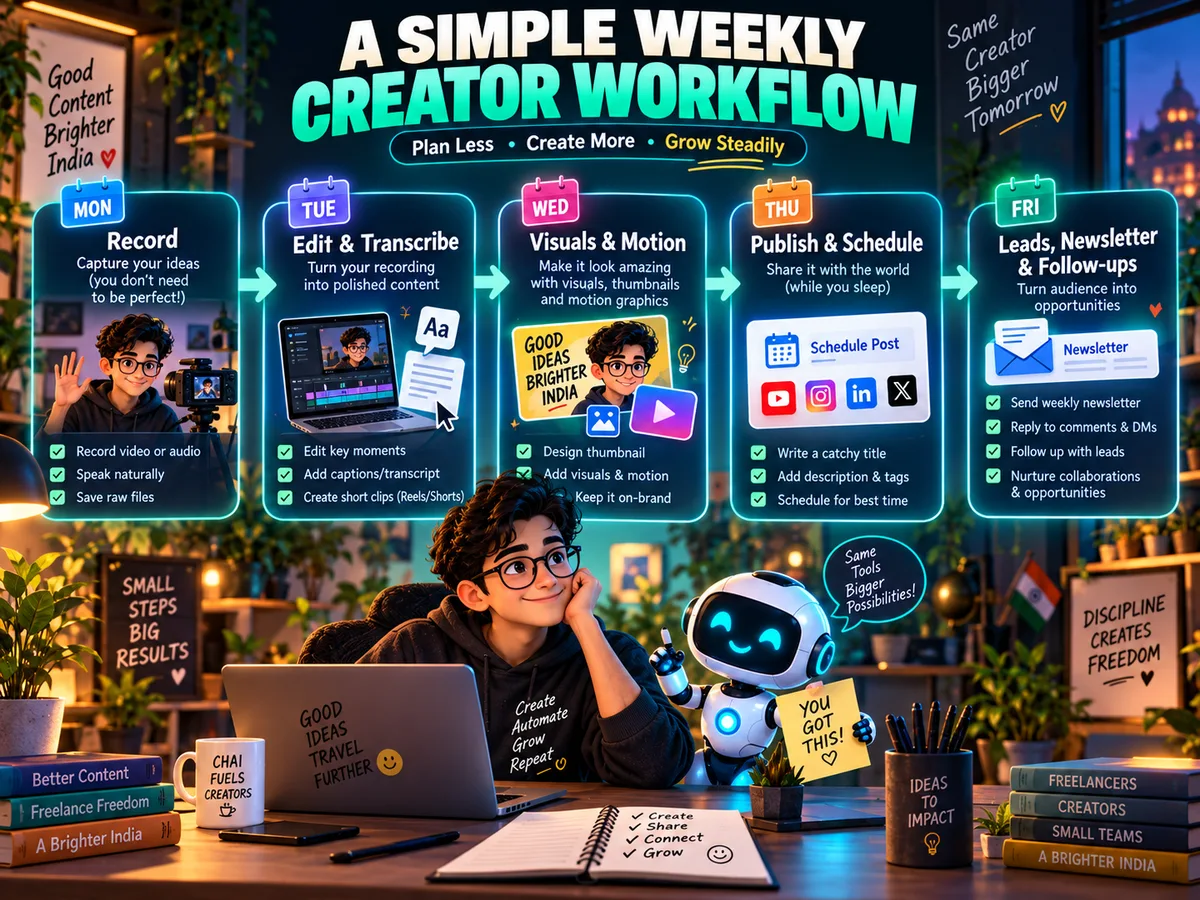
A sustainable operating rhythm for a solo creator:
| Day | Primary Focus | Output |
|---|---|---|
| Monday | Record Master Source | 30–45m high-signal video / interview / demo |
| Tuesday | Ingest & Extract | Auto-Editor cut, Whisper transcript, identify top 3 clips |
| Wednesday | Visual Composition | FLUX background plates, Manim diagrams, HyperFrames rendering |
| Thursday | Distribution Queue | Postiz multi-channel schedule, long-form masterclass release |
| Friday | Audience & CRM | Send listmonk newsletter, review Twenty CRM leads, log learnings in SLM |
From Overwhelmed to In Control
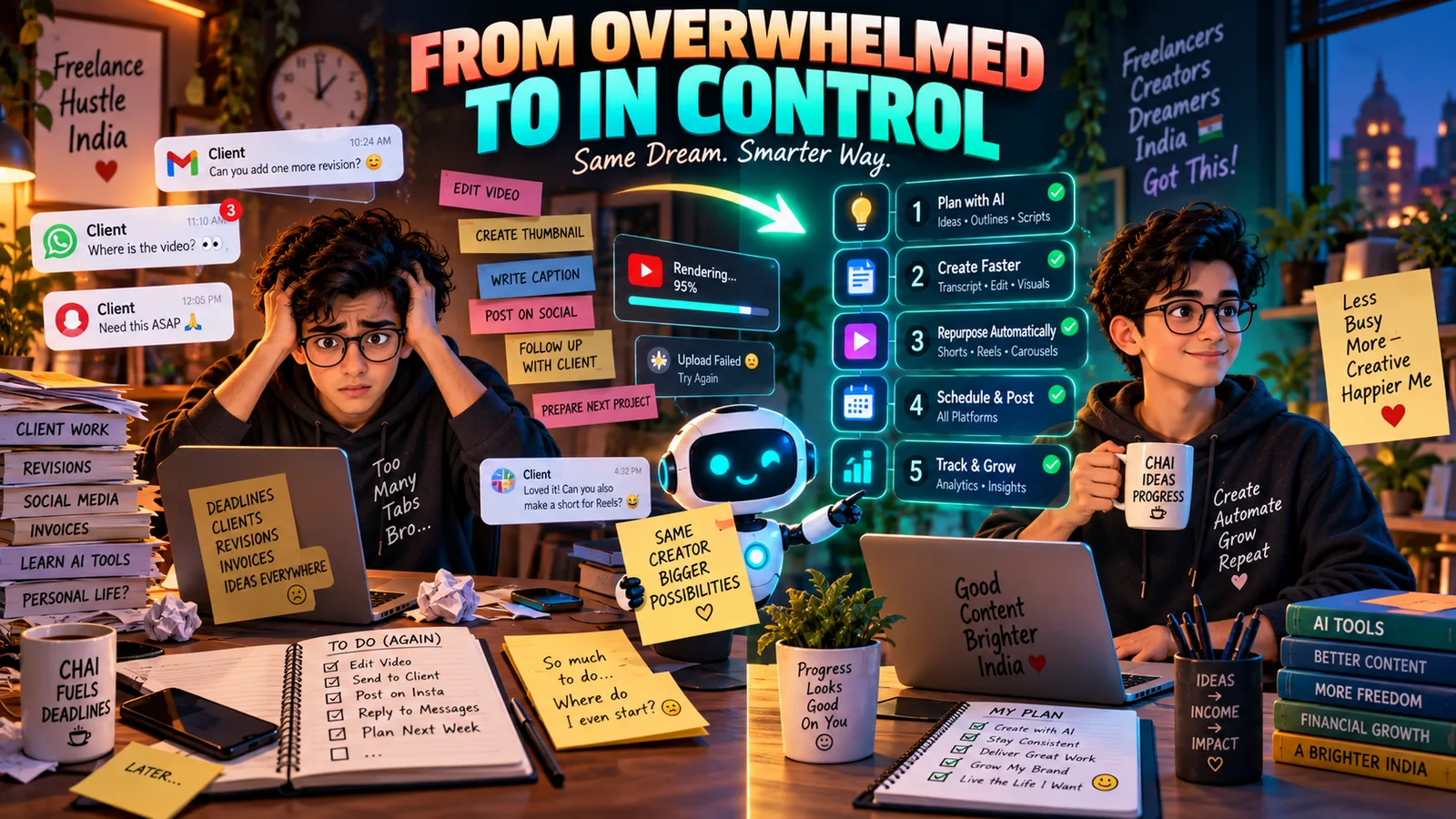
1. RECORD ONCE: Capture one authentic, high-signal masterclass or project.
2. TRANSCRIBE: Convert speech to structured JSON with word timestamps.
3. DECOUPLE VISUALS: Keep art generative, keep text and diagrams editable.
4. DISTRIBUTE NATIVELY: Package the idea appropriately for each channel.
5. OWN YOUR PIPELINE: Host your newsletter, booking, and CRM.
6. GOVERN WITH MEMORY: Test prompts with promptfoo, track costs with ccusage, preserve context in SLM.
The Complete Tool Matrix
| Operating Lane | Tool | License | Primary Responsibility |
|---|---|---|---|
| Ingest | Auto-Editor | Open Source | Silence cutting and timeline candidate EDL export |
| Ingest | Whisper | MIT | Speech-to-text with millisecond timestamp extraction |
| Ingest | FFmpeg | LGPL / GPL | Media transcoding, slicing, and audio extraction |
| Visuals | FLUX.1 Schnell | Apache 2.0 | High-speed local background plate synthesis |
| Visuals | ComfyUI | GPL-3.0 | Reproducible node graph workflows for diffusion |
| Visuals | Manim | MIT | Programmatic mathematical & system motion graphics |
| Visuals | HyperFrames | Open Source | Deterministic HTML/CSS 120Hz headless video rendering |
| Distribution | Postiz | AGPL-3.0 | Multi-platform social queueing and dispatch |
| Audience | listmonk | AGPL-3.0 | High-throughput self-hosted email & newsletter engine |
| Operations | Cal.diy (Cal.com) | AGPL-3.0 | Open-source meeting scheduling infrastructure |
| CRM | Twenty CRM | AGPL-3.0 | Customer relationship & deal pipeline tracking |
| Automation | Activepieces | MIT | Event-driven webhook orchestration |
| Workspace | Google Workspace CLI | Apache 2.0 | Structured command-line integration with Drive & Docs |
| Memory | SuperLocalMemory | Proprietary/Local | Persistent cognitive memory & context graphs |
| Economics | ccusage | MIT | Local agent token cost tracking & burn-rate monitoring |
| Quality | promptfoo | MIT | Automated prompt regression testing and CI evals |
| Observability | Langfuse | MIT | Full-stack LLM tracing, latency, and debug logging |
Where to Begin This Weekend
Do not attempt to deploy all seventeen tools on Saturday morning. Start with one repeatable path:
- Take one 15-minute video you have already recorded.
- Run it through Whisper to generate a timestamped transcript.
- Extract one 45-second high-impact clip using FFmpeg.
- Compose an on-screen title card with clean editable text.
- Write one focused LinkedIn/X post and one short newsletter draft.
Once you have executed that loop twice manually, automate the slowest step. That is how an overwhelming list of software turns into an asset that works for you.
Resources & Production Blueprints
- Episode 3 Full Masterclass: Watch on YouTube
- The $6 AI Company Playlist: Watch the Series
- Production Architecture Blueprint: Download Guide
- Local Creator Playbook: Download Playbook
Varun Pratap Bhardwaj builds AI Reliability Engineering tools at Qualixar. ORCID 0009-0002-8726-4289