Varun Pratap Bhardwaj · AI Reliability Engineering · 21 November 2026
Watch the two-minute film: Claude Code Is the Boss Now: I Flipped Muse + Claude Code
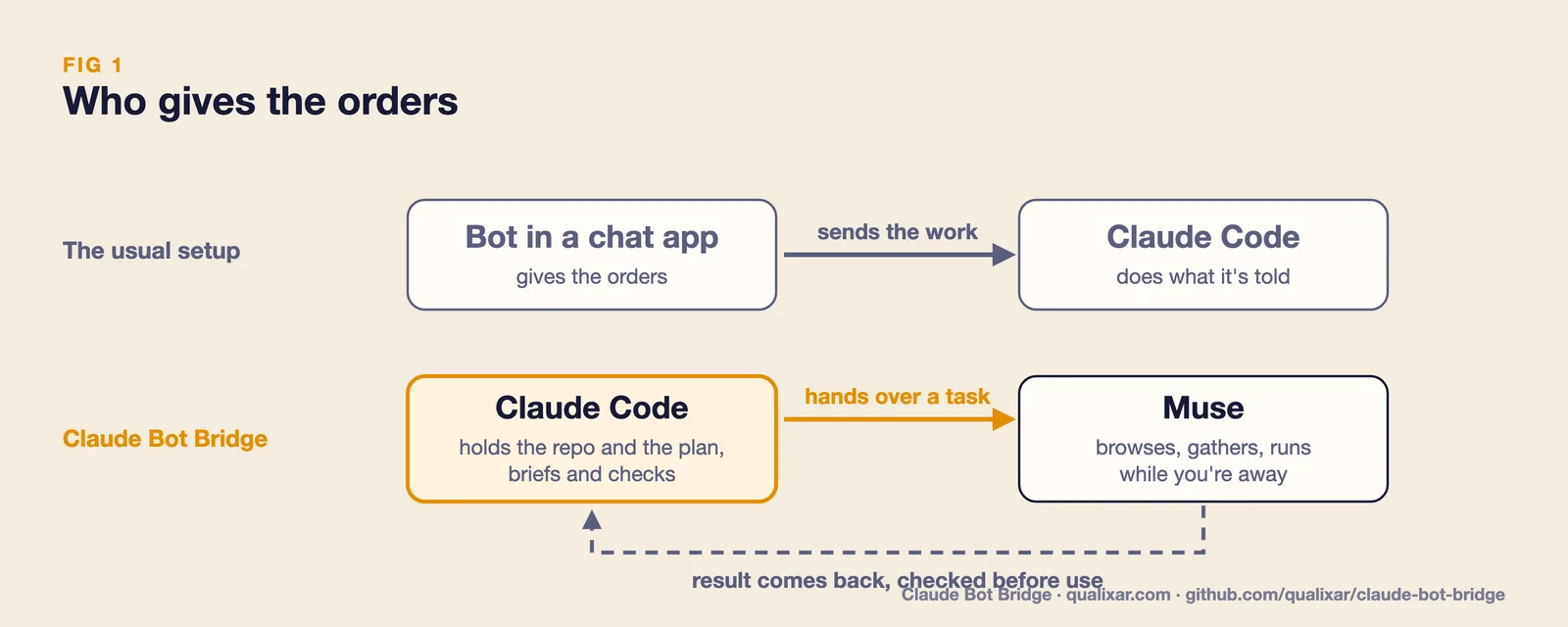
Every guide I found for connecting a consumer AI bot to Claude Code puts the bot in charge. You chat with the bot on your phone, and the bot sends the real work down to Claude Code. Reason Machines, a Y Combinator company, says it in five words at the top of its Muse guide: "Muse asks. Claude Code does the work."
For me that is the wrong way round. I spend my day in Claude Code. It has my repos, my tests, my plan and every bit of context from the last few hours. The bot in a chat app has a chat. I didn't want the chat giving orders to the one that knows what's going on.
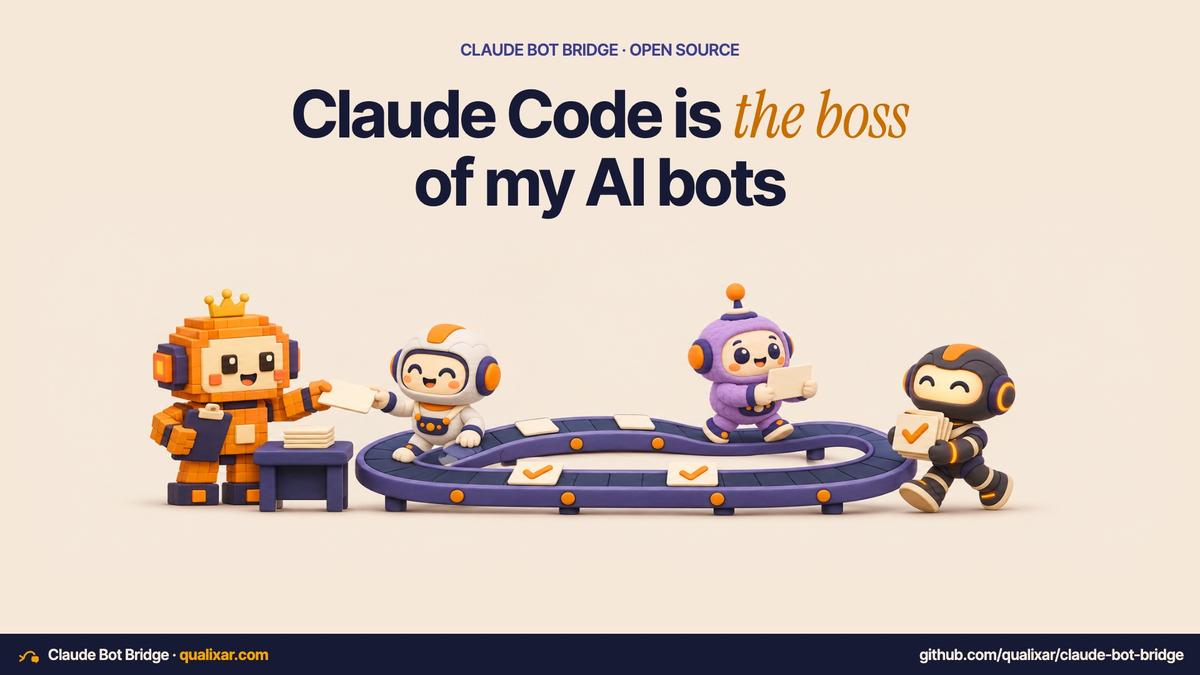
So I built the reverse. I stay in Claude Code, and Claude Code hands work to the bot.
It's called Claude Bot Bridge. It's a free, open-source Claude Code plugin and MCP server. Version 0.1.0 drives Meta's Muse desktop app on macOS.
Why I needed this at all
Anthropic has its own bot for this kind of work, Claude Duet. It's an invite-only research preview for Pro and Max subscribers in the US. I'm in India, so I can't use it.
The bots I can use here are Muse, Grok and dots. Each one does things Claude Code doesn't do well by itself: browsing live, answering from today's web, and running long jobs while I'm away from the desk. I wanted the strongest planner to stay in charge and use those bots as extra hands.
Route one: direct chat
For a quick question, the bridge types into the Muse chat you already have open and reads the answer back into Claude Code.
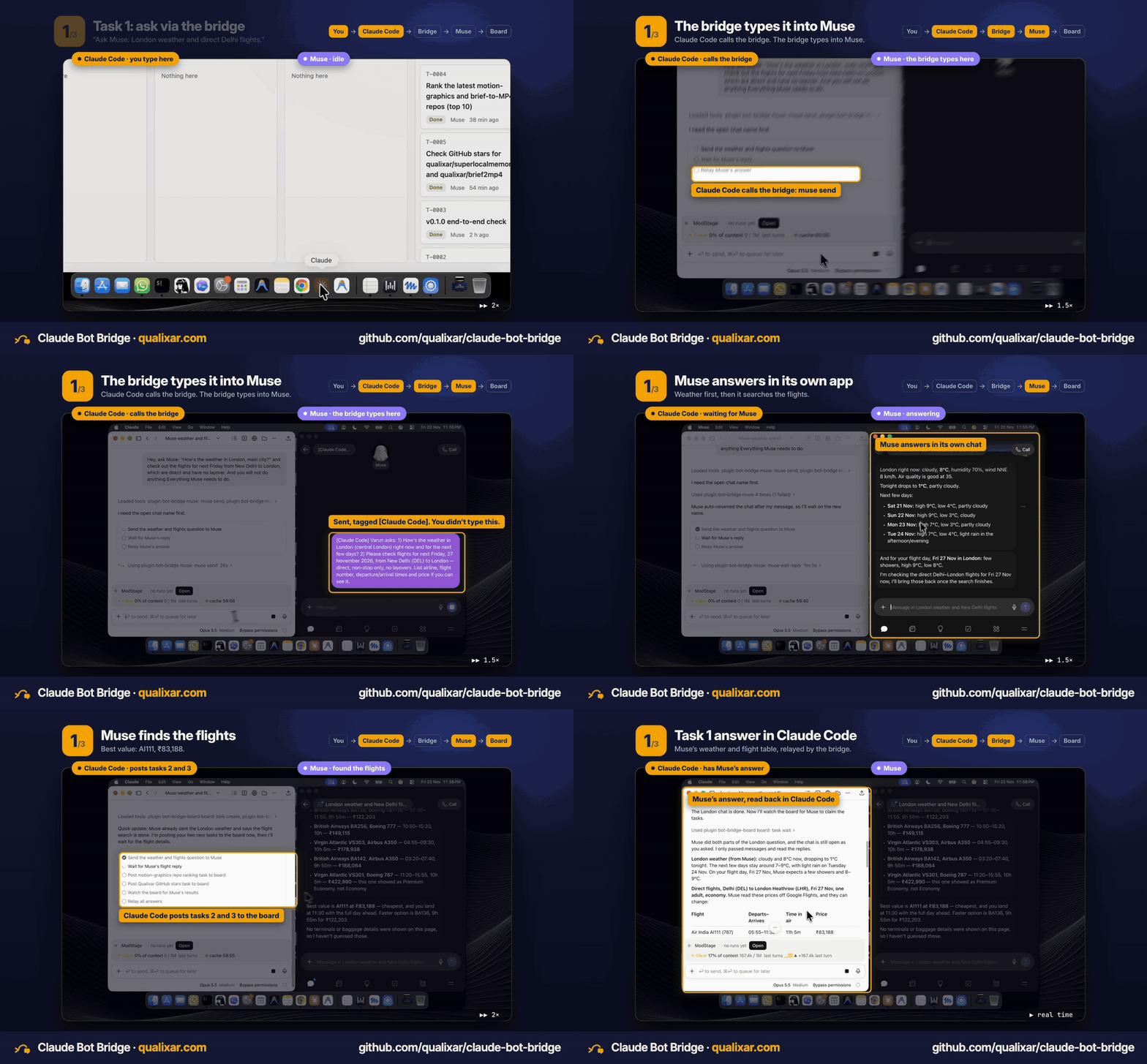
In the film I ask Claude Code for the weather in London and for direct flights from Delhi. Claude Code sends the question to Muse, Muse answers in its own app, and the answer lands back in my terminal, where Claude Code carries on with it.
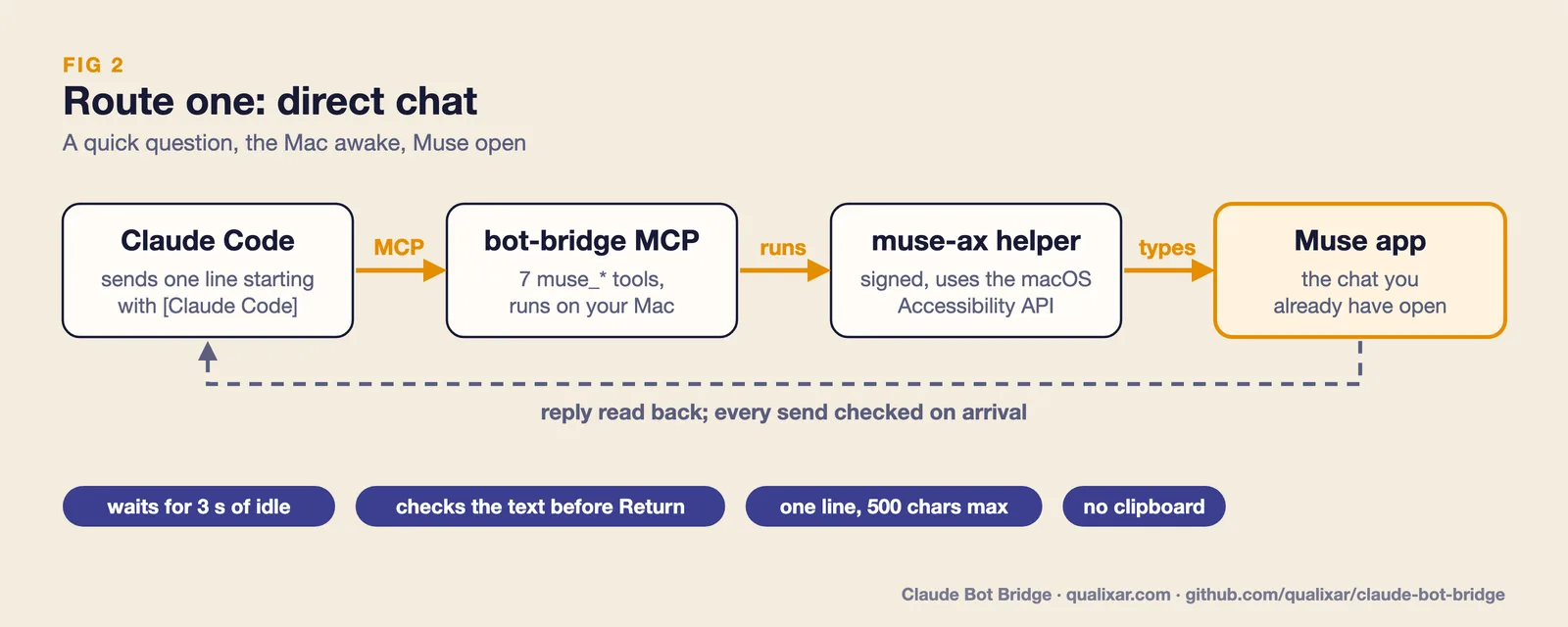
Meta doesn't offer a Muse API for this. So the bridge goes through the macOS Accessibility API, the same layer screen readers use. A small signed helper called muse-ax finds the message box and types one line. Before it presses Return, it checks that the box holds exactly that text. After the send, it checks that the message actually landed in the chat.
Route two: a task board for real work
Typing into a chat box is fine for one question. It's the wrong tool for an hour of research, or for work that has to happen while my laptop lid is closed.
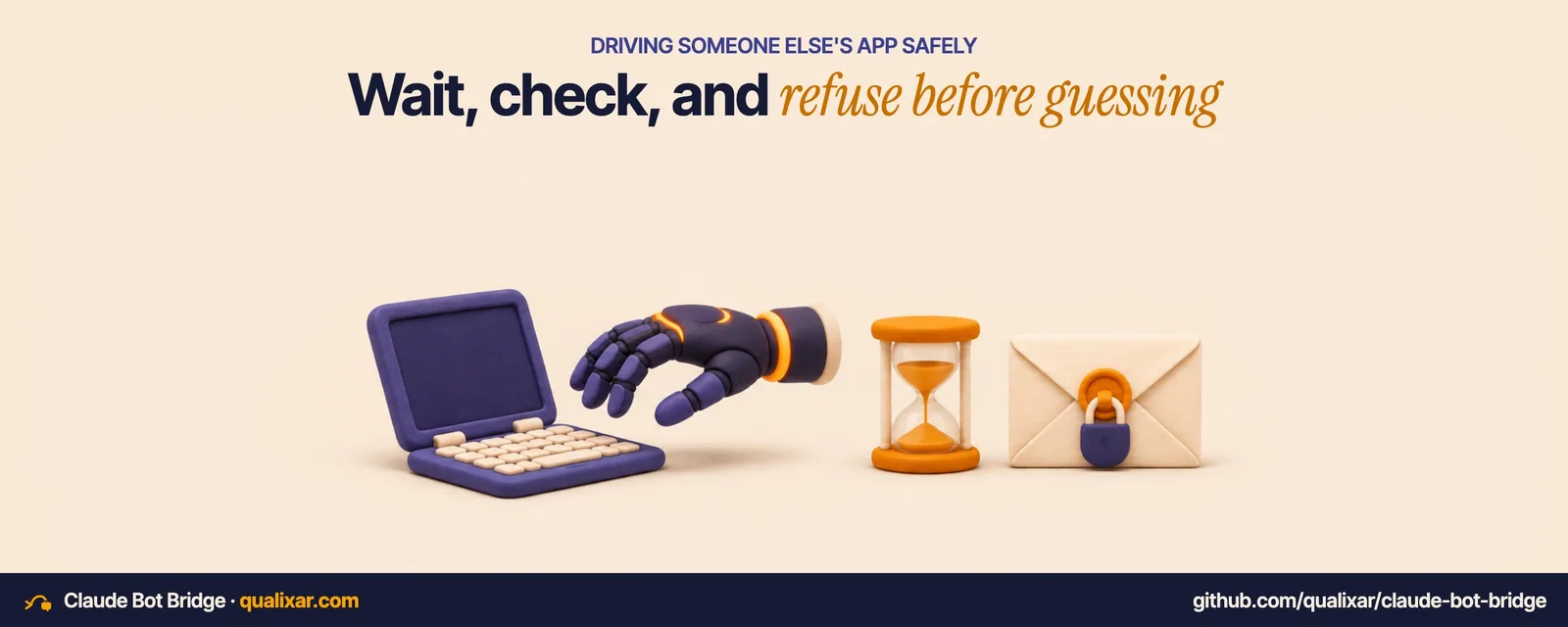
For that, Claude Code puts a card on a small task board that you host yourself. Every card has a brief, a deliverable and acceptance criteria, the same three things you'd give a contractor. Muse reaches the board through a custom connector and checks it on a schedule. It claims a card, posts progress while it works and submits a result. Claude Code reads the result and carries on.
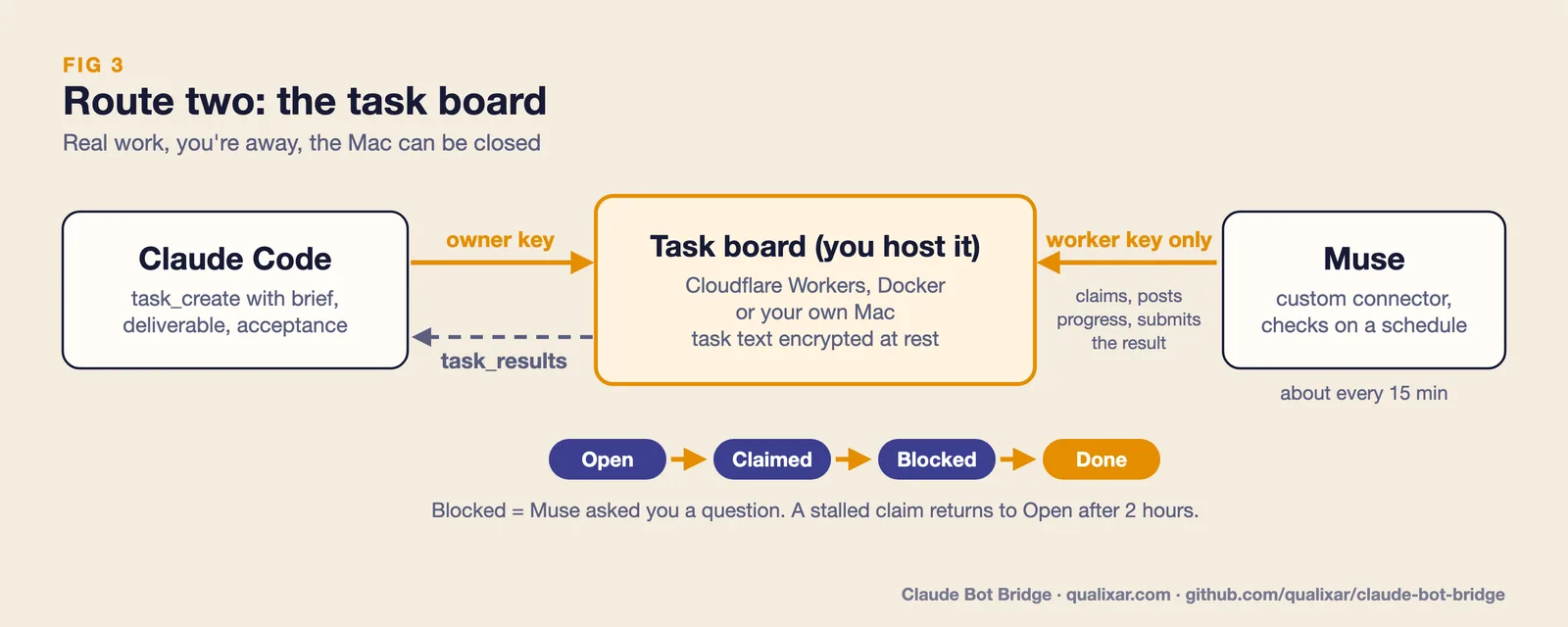
On my live board, one task took 34 seconds from card to result once Muse picked it up. Muse checks the board about every 15 minutes in my setup, so plan for that wait unless you nudge it. If Muse gets stuck, it asks a question, the card shows as Blocked, and Muse relays the question to me on WhatsApp. Claude Code answers it after asking me.
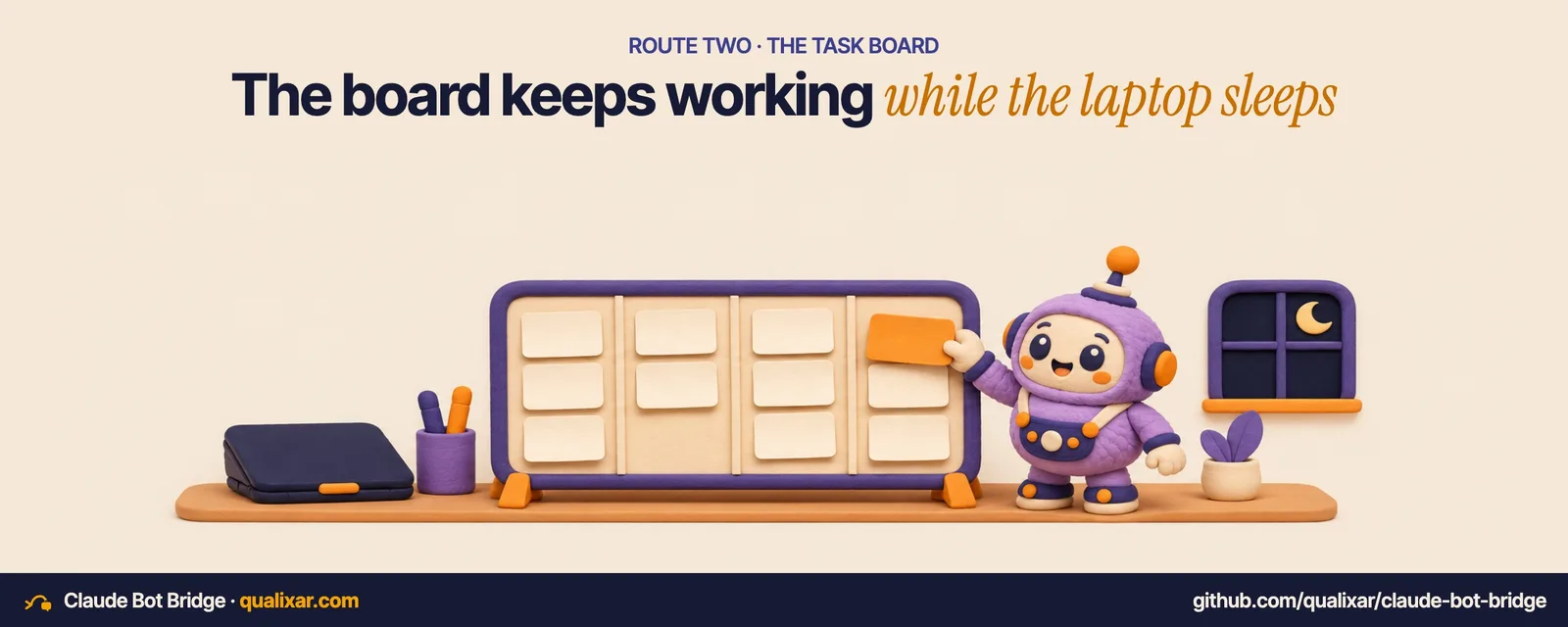
The board runs on Cloudflare Workers (the free tier is enough), on any Docker host, or on your own Mac. Keys are stored as SHA-256 hashes and compared in constant time. Task titles, briefs and results are encrypted at rest with AES-256-GCM. The owner key creates work and the worker key can only claim and finish it, so the bot never holds the key that gives orders.
Driving someone else's app without breaking anything
Typing into another company's desktop app is the risky part. Most of the code is about refusing to act.
The bridge waits until you've stopped typing and moving the mouse for three seconds before it touches the keyboard. If you start typing into Muse while it works, it clears the box and backs off. Every message starts with [Claude Code], is a single line of at most 500 characters, and never goes through the clipboard. It never switches chats. Each send is logged with a fingerprint of the text, never the text itself.
Muse's interface changed twice on 20 November, the day I released. That told me something I should have assumed from the start: the screen will keep moving under me. So what the helper looks for on screen (roles, titles, layout) lives in a signed rules file, not in the code. When Muse changes, I ship new rules, not a new binary.
Rules and binaries are signed with Ed25519. An offline root key signs a keyset, and the keyset names separate working keys for rules and for binaries, each of which can be revoked. When the helper can't find Muse's controls, it types nothing and the task goes to the board instead.
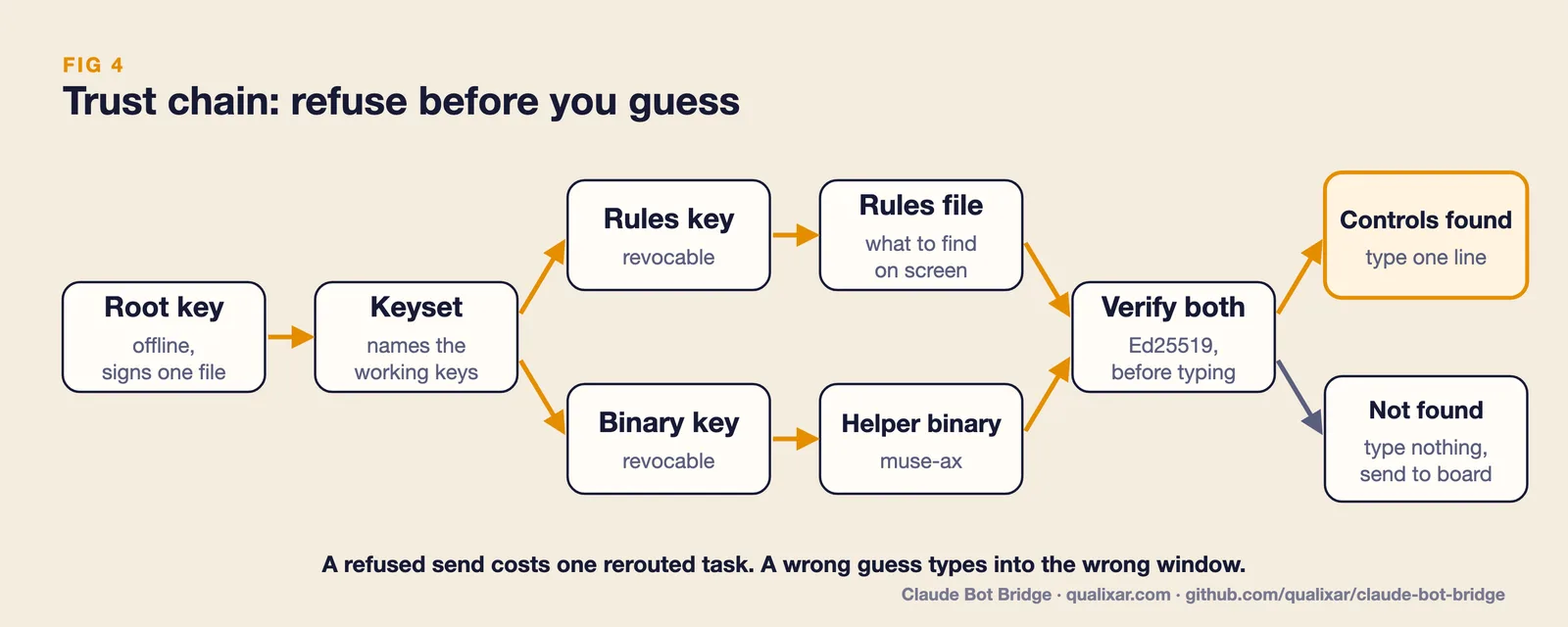
A refused send costs one rerouted task. A wrong guess puts text in the wrong window, maybe in a chat with a real person. Those two mistakes are not the same size, so the bridge is built to make the cheap one. That's AI Reliability Engineering in a tool that drives a screen: decide in advance which failure you can afford, and design toward it.
The first real job, and what it got wrong
A launch demo proves the plumbing works. It doesn't tell you whether the bot is any good at the work. So after launch I gave Muse a real job through the board: find this week's YouTube videos that pair Muse with Claude Code, with a source link and view count for every row.
It came back in 11 minutes with five videos. I checked every one against YouTube directly. All five were real, and titles, channels and view counts matched.
Then I ran my own search. Muse had missed two matching videos, one of them the most-viewed video of the week on the topic.
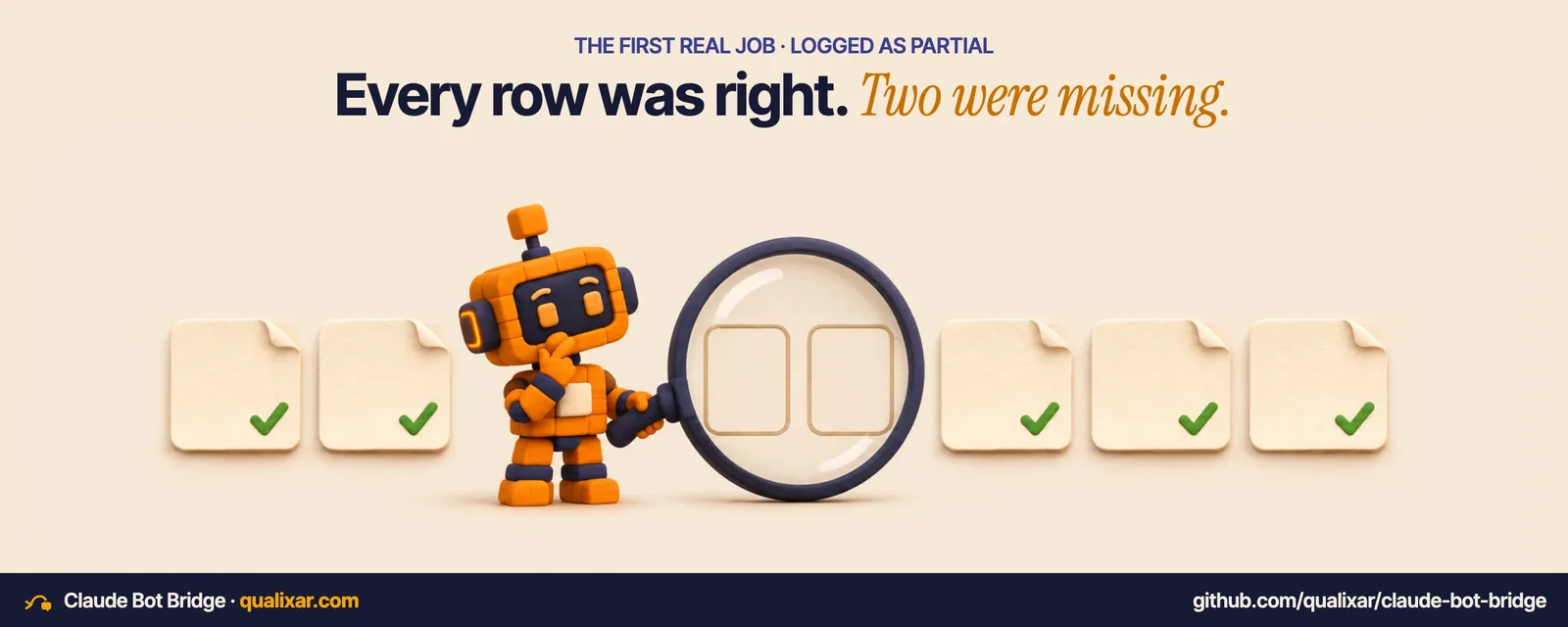
So the answer was accurate but incomplete. I logged it as partial, not as a success, and changed how I brief and check scans:
- The brief now asks Muse for the exact search queries it ran, so I can see what it didn't try.
- Before I call any "find all of X" job complete, Claude Code runs one independent search of its own to check coverage.
- Every delegated job goes in a ledger with its verdict: verified, partial or failed. If one kind of job stays under 70% verified after five tries, I stop sending that kind to Muse.
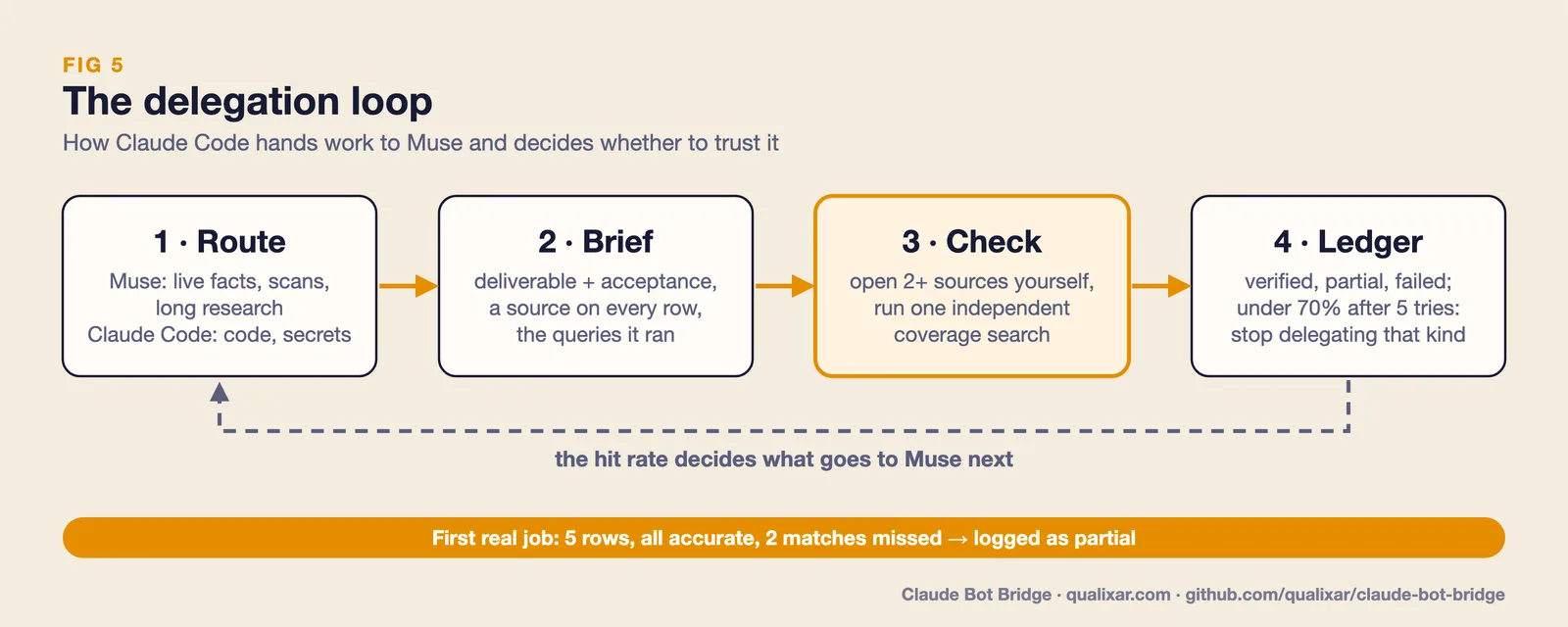
This is the part I'd tell anyone building agents to copy. The bot didn't make anything up. It just didn't look everywhere. A check that only looks at the rows you got back will pass that every time. You only catch it by searching on your own.
A question from a reader
Under my demo post, someone asked whether a second bot could pick up a half-finished card without redoing the research.
The board already handles the handoff. A claimed card with no progress or heartbeat for two hours goes back to Open, and the next worker that opens it gets the earlier progress notes. How much research it saves depends on what the first bot wrote into those notes. "Working on it" saves nothing. Partial findings save a lot. So I now brief Muse to post its findings as progress, not just its status.
What it does not do
The direct route is macOS only and needs Accessibility permission. Task text you send is processed by Meta's Muse service. It's encrypted in transit, and at rest on your board, but it isn't end-to-end encrypted from Meta. Automating your Muse account may conflict with Meta's terms, so read them and use your own single account. Version 0.1.0 supports Muse only. Grok and dots are planned, not built.
Try it
You need a Mac, Node 20 or newer and the Muse desktop app.
claude plugin marketplace add qualixar/claude-bot-bridge
claude plugin install bot-bridge@claude-bot-bridge
Then run /bot-bridge:setup inside Claude Code. Setting up the board is one command, cbb-board-init --cloudflare. Run it in your own terminal so the keys it prints stay out of every chat.
Repo: https://github.com/qualixar/claude-bot-bridge Film: https://youtu.be/BqOsAaAgyXA
Tell me which bot it should drive next.
Claude Bot Bridge is not affiliated with Anthropic or Meta.
Tools in this post: Claude Bot Bridge
Varun Pratap Bhardwaj builds AI Reliability Engineering tools at Qualixar. ORCID 0009-0002-8726-4289