No Touchscreen Needed: Control Your Mac With Your Hand (and Learn Rust Building It)
A free, open-source Rust app turns the camera already in your Mac into a hand-tracking mouse: point to move, pinch to click, touch thumb to ring finger to scroll, wave to switch apps. This Rust hand tracking tutorial builds it one idea at a time, Cargo, struct, Option, enum and match, Result and the question mark, with the real code and the five compiler errors that shaped it.
Varun Pratap Bhardwaj · Qualixar research · Rust tutorial, episode one
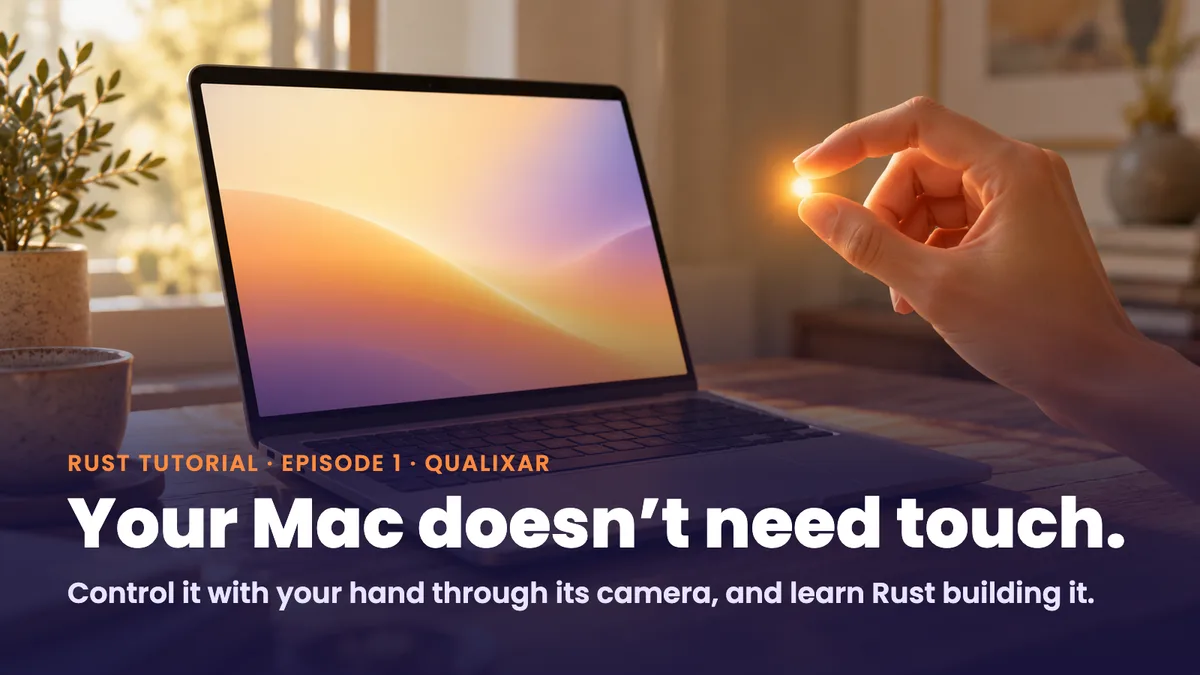
Apple announced its first touchscreen MacBook Pro on 28 October 2026, with a PROLED XDR display and M5 Pro or M5 Max chips, and it starts at $2,899 in the US.
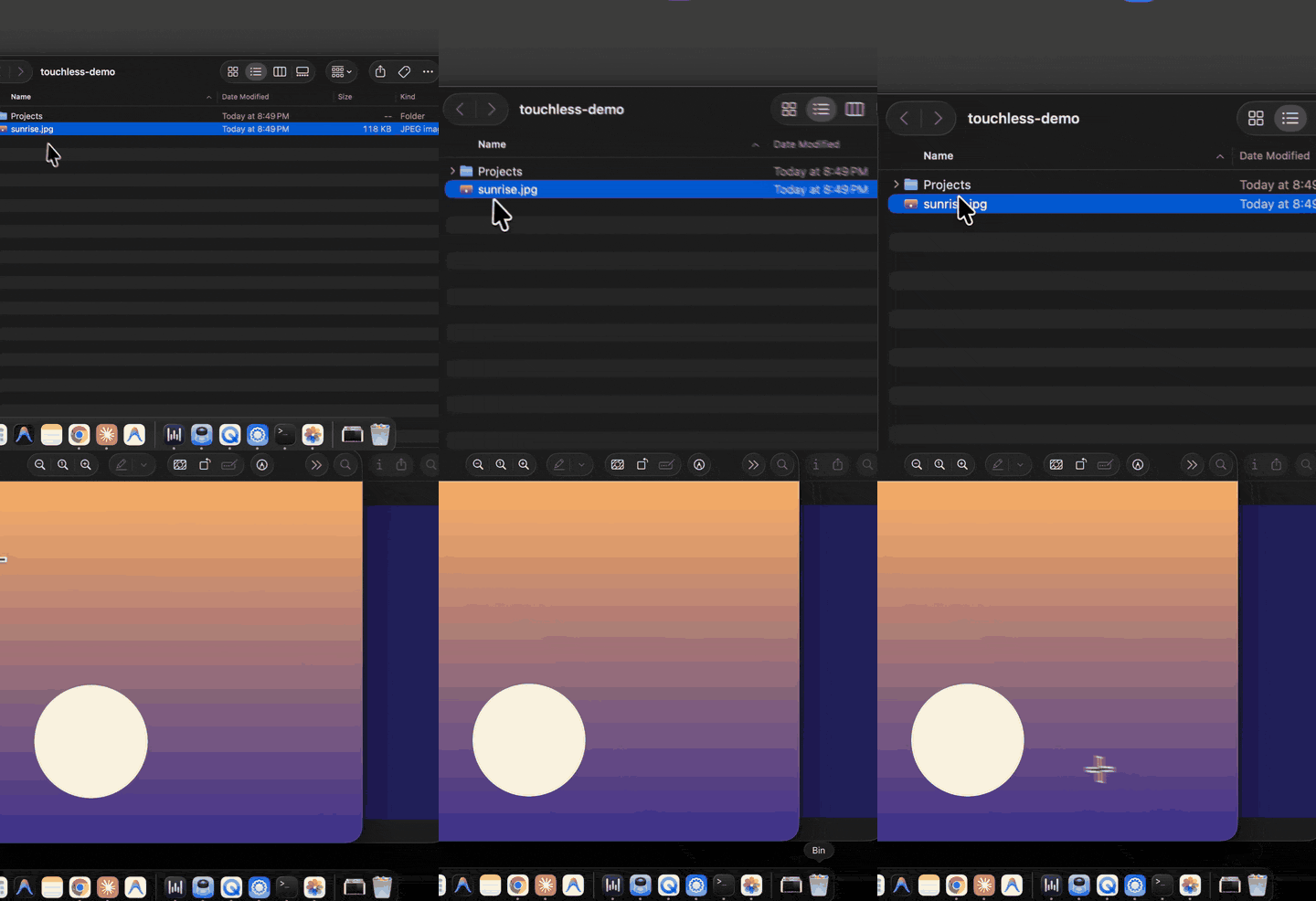
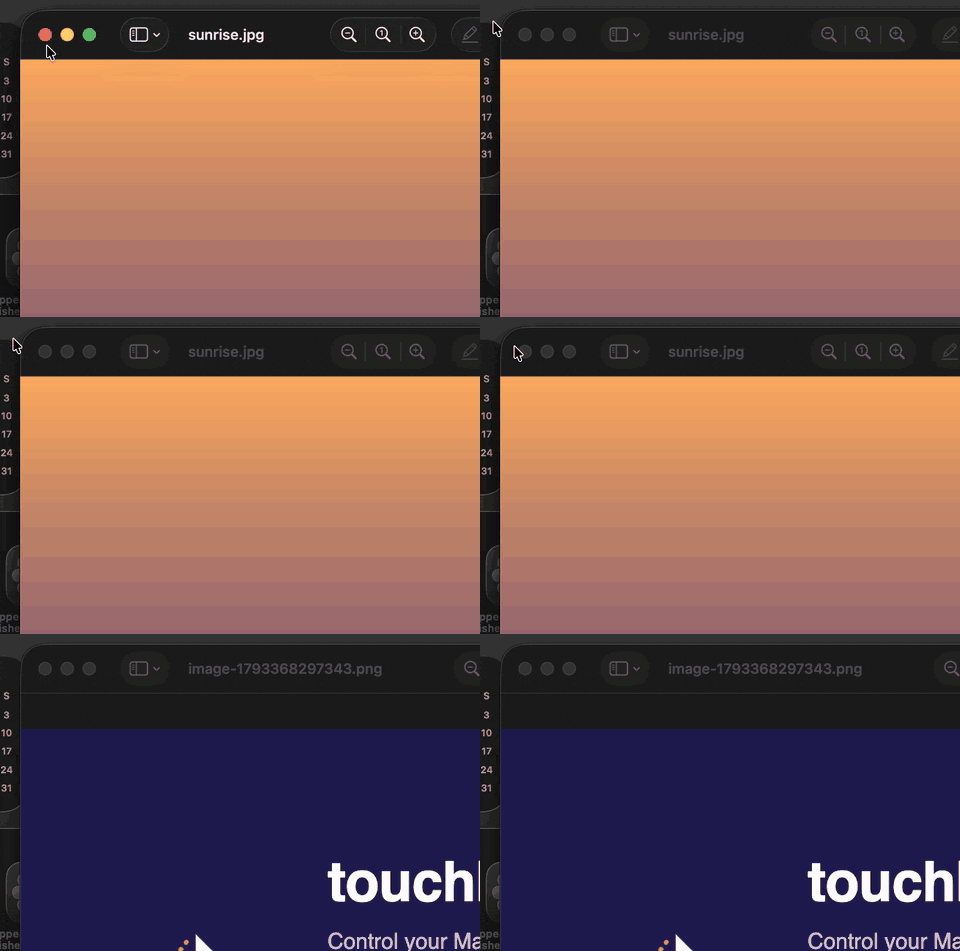
This lesson goes the other way. The Mac you already own has a camera above the screen, and that is enough to steer it with your hand: point and the cursor follows, pinch and it clicks, touch your thumb to your ring finger and the page scrolls, wave and you switch apps. The program that does it is free, open source under MIT, and written in Rust. We build it here from an empty folder, one Rust idea at a time, and every idea gives the app one new ability.
One thing to be clear about before we start: this is not a touchscreen. Your hand moves in the air, a camera watches it, and the program turns what it sees into mouse events. That is a different interface with different strengths, and I'll be specific about its limits near the end.
The film walks through the same build in about twenty minutes, with the hand on camera. The code is at github.com/qualixar/touchless-mac, and every chapter has a git tag so you can check out the program exactly as it stood at that point.
A question before you go further, because the answer decides the next episode: what would you control with your hand first? Leave it in the comments under the video. The idea most people ask for becomes episode two.
What you'll build
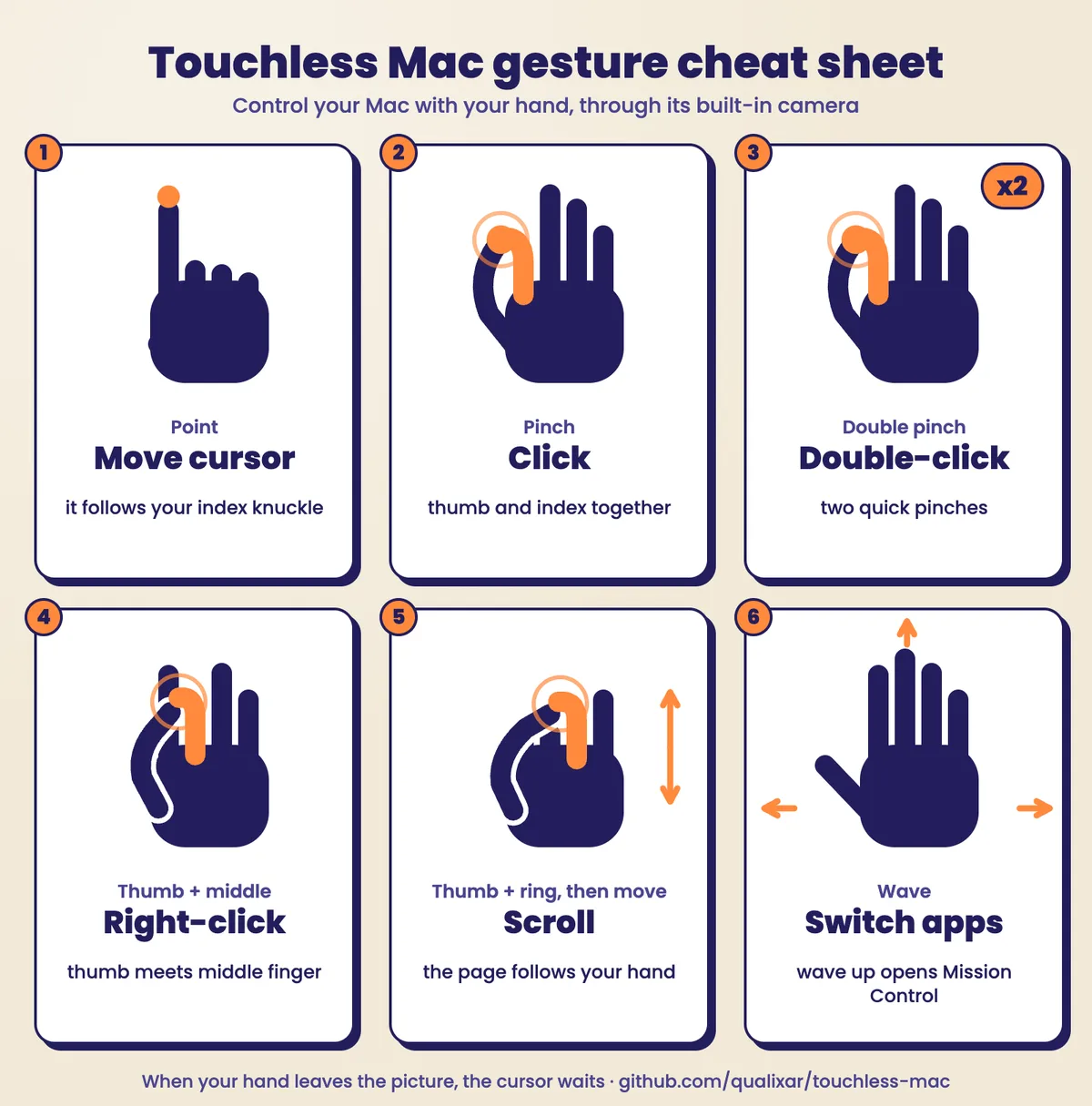
A small command-line program, touchless-mac, that reads the built-in camera and drives the mouse and keyboard. These are the gestures it understands when you finish:
| Gesture | What happens | Same as |
|---|---|---|
| Point with your index finger | The cursor follows your index knuckle | moving the mouse |
| Pinch thumb and index finger | Click | left click |
| Two quick pinches | Double-click | double click |
| Pinch thumb and middle finger | Right-click | right click |
| Touch thumb to ring finger, then move your hand | Scroll; the page follows your hand | two-finger scroll |
| Open hand, wave right or left | Next or previous app | Cmd+Tab |
| Open hand, wave up | Mission Control | Ctrl+Up |
| Hand leaves the picture | The cursor waits where it was | letting go of the mouse |
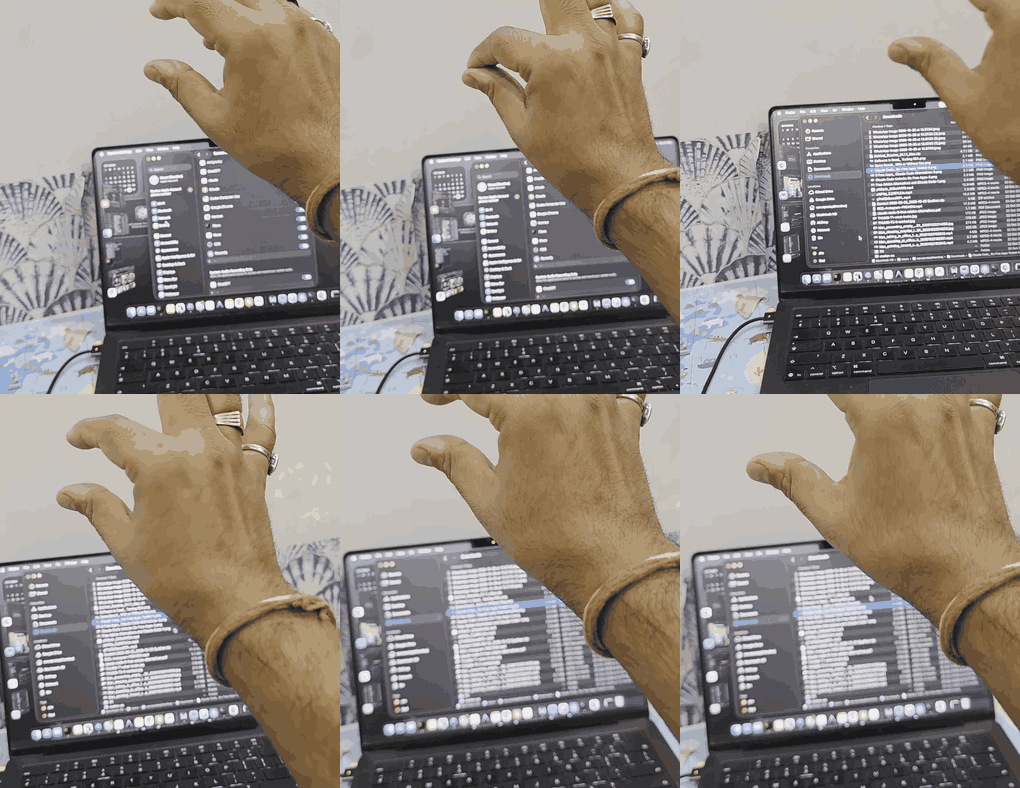
You don't need any Rust to follow along. If you know a little Python, the comparisons will feel familiar, because the repo keeps a Python version of each idea next to the Rust one.
How a camera becomes a mouse: the four steps
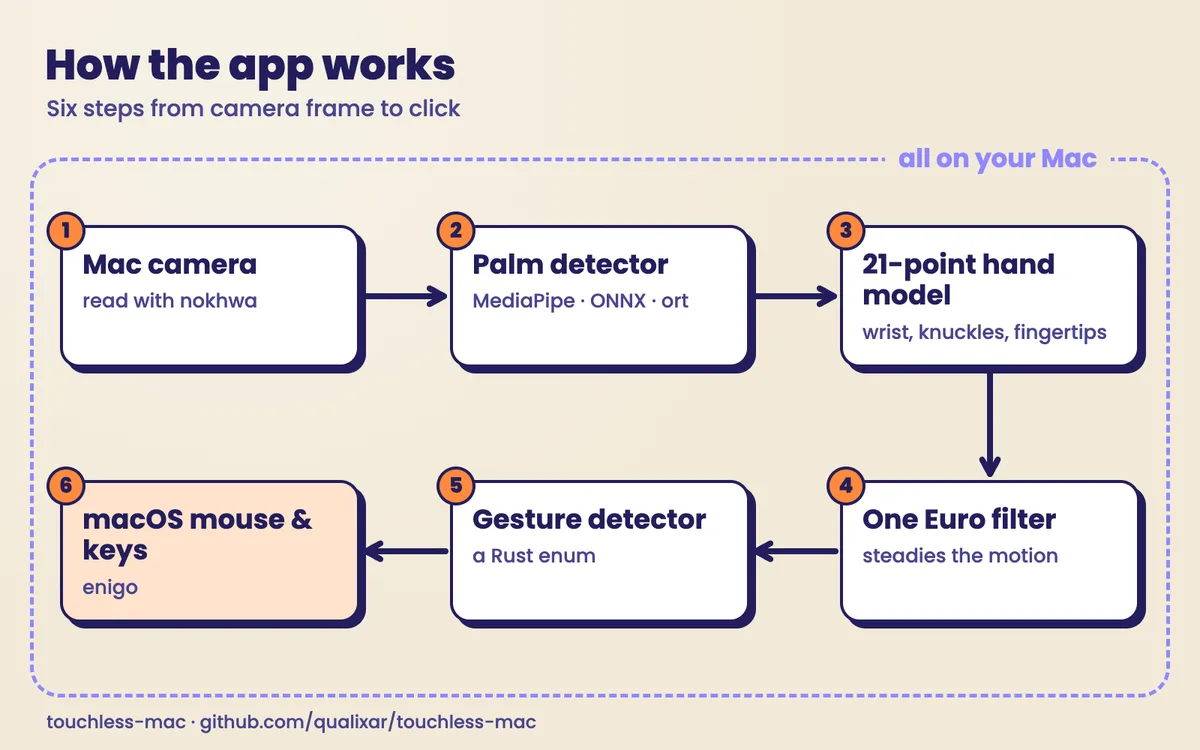
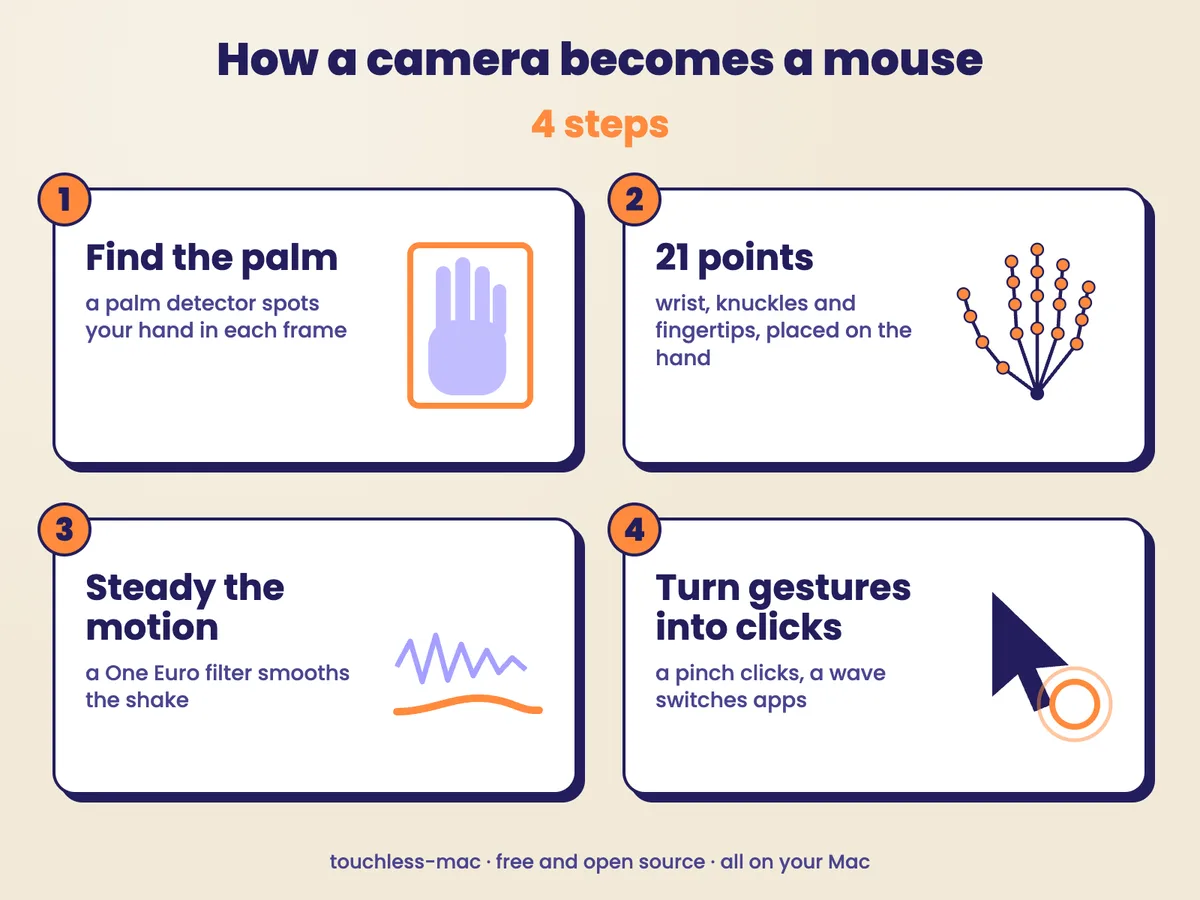
Before any Rust, it helps to see the whole machine. Every picture from the camera goes through four steps.
- Find the palm. Google's MediaPipe palm detector looks at the whole picture and answers one question: is there a hand, and roughly where?
- Place the hand points. The hand landmark model looks at a crop around that palm and places 21 points on it: the wrist, the knuckles and the fingertips. Once a hand has been found, the next picture only needs a look near where it was, so the slow palm search can be skipped.
- Steady the motion. A One Euro filter smooths the position of your index knuckle. It calms small shaking when your hand is nearly still and gets out of the way when you move fast.
- Act. A gesture detector turns pinches and waves into clicks and keyboard shortcuts, and the
enigocrate sends them to macOS.
The two models are OpenCV's ONNX conversions of Google's MediaPipe models, published under Apache 2.0. Together they are about 8 MB. A download script fetches them once and checks each file against a fixed SHA-256 fingerprint. After that, everything runs on your Mac through ONNX Runtime, which the ort crate drives from Rust. The camera is read with the nokhwa crate. Nothing from the camera leaves the computer.
That is the shape of the program. Now we build it.
The Rust, one idea per ability
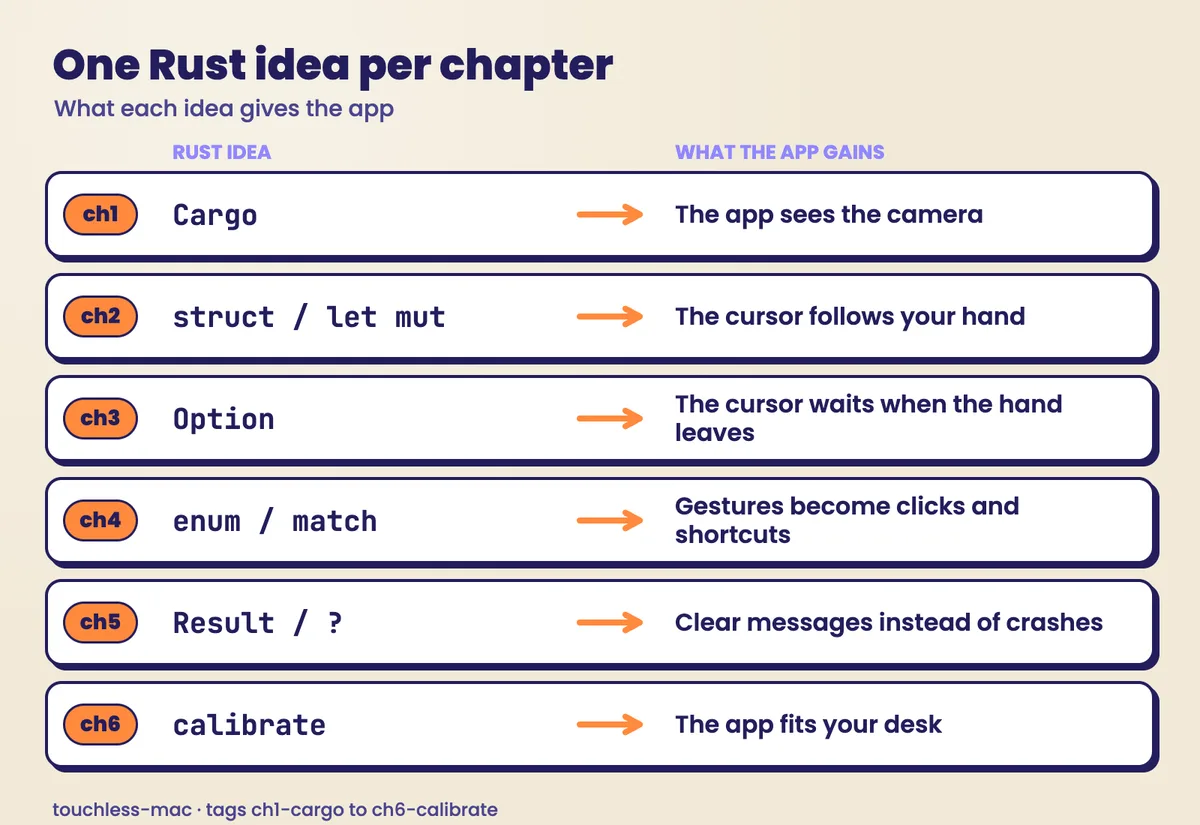
| Tag | Rust idea | The app gains |
|---|---|---|
ch1-cargo |
Cargo and crates | It sees the camera |
ch2-struct |
struct, let and let mut |
The cursor follows your finger |
ch3-option |
Option |
The hand leaves, the cursor waits |
ch4-enum |
enum and match |
Pinch, double pinch, right pinch and waves |
ch5-result |
Result and ? |
Clear messages instead of crashes |
ch6-calibrate |
Putting it together | Start-up calibration |
To see the code at any stop, check out its tag:
git checkout ch3-option
The examples/ folder has one tiny program per idea that needs no camera at all. Each file has one line commented out. Uncomment it and you get the real compiler error that the film explains. Across the film the compiler refused the build five times, and each of those refusals is in this lesson.
Idea one: Cargo and crates (the app sees the camera)
Think of a recipe with the ingredients listed at the top, and a cook who goes out, buys exactly those, and makes the dish. In Python, pip fetches other people's code and Python runs your file. In Rust, one tool does all of it. Cargo creates the project, fetches the packages (Rust calls them crates), compiles the program and runs it.
cargo new hello gives you a project that already prints hello world, and cargo run compiles and runs it in one step. When the program needs someone else's code, you name the crate in Cargo.toml, the ingredient list. Here is the real one from the app, with its comments:
[dependencies]
# nokhwa talks to the Mac camera.
nokhwa = { version = "0.10", features = ["input-native", "output-threaded"] }
# image gives us a picture type to hold one camera frame.
image = "0.25"
# ort runs the two hand models (ONNX Runtime). Release candidates change their API between
# versions, so we pin this exact one.
ort = "=2.0.0-rc.15"
# enigo moves the mouse and presses keys.
enigo = "0.6"
# dirs finds the right per-user config folder, so we can remember your calibration.
dirs = "6"
The next cargo run downloads those crates, compiles them and writes Cargo.lock. That file is the till receipt: it records the exact versions this build used. Commit it with the code, and the next person's build starts from the same versions.
The first example uses one crate, image, to make a picture four pixels wide and three tall and paint one pixel red:
use image::{Rgb, RgbImage};

fn main() {
    println!("Hello from Rust!");

    // A tiny picture, 4 pixels wide and 3 pixels tall, from the `image` crate.
    let mut picture = RgbImage::new(4, 3);
    picture.put_pixel(1, 2, Rgb([255, 0, 0])); // one red pixel
    println!("the picture is {} x {} pixels", picture.width(), picture.height());
    println!("pixel (1, 2) is {:?}", picture.get_pixel(1, 2));
}
Run it with cargo run --example 01_cargo. In the app, the camera crate is wrapped in a small type so the rest of the program can just ask for the next picture:
pub fn open() -> Result<Webcam> {
    if !ask_for_permission()? {
        return Err(AppError::CameraDenied);
    }
    let wanted =
        RequestedFormat::new::<RgbFormat>(RequestedFormatType::AbsoluteHighestFrameRate);
    let mut camera = Camera::new(CameraIndex::Index(0), wanted)?;
    camera.open_stream()?;
    println!("camera: {}", camera.camera_format());
    Ok(Webcam { camera })
}
The first time it runs, macOS stops it and asks whether Terminal may use the camera. Allow it, and the app can see. It can't make sense of anything yet.
Idea two: struct, let and let mut (the cursor follows your finger)
The hand model hands back 21 points, each with an x and a y. That is a long row of bare numbers with no names on them. A struct is how Rust puts one name on values that belong together, like a form with labelled boxes instead of loose scraps of paper. This is the real definition in src/hand.rs:
/// One spot in the camera picture, in pixels.
#[derive(Clone, Copy, Debug)]
pub struct Point {
    pub x: f32,
    pub y: f32,
}

/// What the hand model sees: 21 points and how sure it is.
#[derive(Clone, Debug)]
pub struct Hand {
    pub points: [Point; 21],
    /// The same 21 points in metres (3D, origin near the hand centre). Distances measured here
    /// don't change when the hand tilts towards the camera, unlike distances in pixels.
    pub world: [[f32; 3]; 21],
    pub confidence: f32,
}
The count is part of the type. A Hand holds exactly 21 points, so a hand with one point missing won't build. The world copy, in metres, comes back in idea four, where it makes pinches work at any tilt.
The second idea is one a plain Python variable never asks you about: is this value written in pen or in pencil? In Rust, let is the pen and let mut (mutable, allowed to change) is the pencil. The example:
fn main() {
    let finger = Point { x: 120.0, y: 80.0 };
    println!("finger at ({}, {})", finger.x, finger.y);

    // `cursor` is declared with `mut`, so it may move.
    let mut cursor = Point { x: 0.0, y: 0.0 };
    cursor.x = finger.x;
    cursor.y = finger.y;
    println!("cursor at ({}, {})", cursor.x, cursor.y);

    // Uncomment ONE of these lines to see the compiler stop you:
    // finger.x = 300.0; // error[E0594]: cannot assign to `finger.x`, as `finger` is not declared as mutable
    // let clicks = 0; clicks = clicks + 1; // error[E0384]: cannot assign twice to immutable variable `clicks`
}
In Python's version, a dataclass, setting the finger's x a line later runs without a murmur. Was that intended, or a bug that just threw the cursor across the screen? The code doesn't say. Uncomment the Rust line and the build stops. Refusal one:
error[E0594]: cannot assign to `finger.x`, as `finger` is not declared as mutable
The compiler then points at the line where finger was created and suggests the fix, the word mut. A lot of Rust errors read like that, closer to a colleague at your shoulder than a crash report. In a large file you've never seen, every mut is the author telling you which values are meant to change.
In the app, every frame picks one named point, the index knuckle, maps where it sits in the camera picture onto your screen, and moves the cursor there. It steers by the knuckle and not the fingertip, because the fingertip moves every time you pinch and the knuckle barely does.
Idea three: Option (the hand leaves, the cursor waits)
Your hand won't stay in front of the camera all day. When it isn't there, what should the cursor do?
Picture a letterbox. Some days it holds a letter and some days it's empty, and you can't read the letter until you've looked. Rust's Option works like that letterbox: it is either Some(value) or None, and a function that might find nothing says so in its type. In the example, find_hand looks for a # in a tiny text picture:
/// Look for the hand, drawn as a `#` in a tiny text picture.
fn find_hand(picture: &[&str]) -> Option<Point> {
    for (y, row) in picture.iter().enumerate() {
        if let Some(x) = row.find('#') {
            return Some(Point { x, y });
        }
    }
    None
}
To use the result you have to look inside, and match makes you write down what happens in both cases:
match find_hand(&picture) {
    Some(hand) => println!("hand at ({}, {})", hand.x, hand.y),
    None => println!("no hand, the cursor waits"),
}
The Python version returns None too, quietly, and the crash comes later, on the line that asks for .x: an AttributeError that in a real program could sit in another file. Try the same shortcut in Rust and you get refusal two:
error[E0609]: no field `x` on type `Option<Point>`
The compiler is right, because the Option might be empty. Look at what it suggests, though: .unwrap(), which means "trust me, it's there, and stop the program if it isn't". That's the Python crash again, so the app handles None itself. This is the real main loop in src/main.rs:
// `see` returns an Option<Hand>: either `Some(hand)` or `None`.
// `match` makes us write down what happens in BOTH cases, so we can't forget one.
match tracker.see(&frame)? {
    Some(hand) => {
        if !hand_was_visible {
            println!("Found your hand (confidence {:.2}).", hand.confidence);
        }
        hand_was_visible = true;

        let knuckle = hand.points[INDEX_KNUCKLE];
        let cursor = steering.aim(knuckle, frame.width() as f32, dt);

        // The detector turns the hand into a Gesture; the mouse does what it means.
        let reading = Reading::new(now, cursor, &hand, frame.width() as f32);
        if let Some(event) = gestures.update(&reading) {
            mouse.perform(event)?;
        }
    }
    None => {
        if hand_was_visible {
            println!("Hand left the picture. The cursor waits.");
        }
        hand_was_visible = false;
        // Do not touch the mouse. Forget the smoothing so there is no jump later.
        steering.lost();
        gestures.lost();
    }
}
Some means follow the hand. None means leave the cursor where it is. Lower your hand and nothing crashes; the cursor waits where you left it. (The ? after tracker.see(&frame) belongs to idea five.)
Idea four: enum and match (pinch clicks, waves switch apps)
Pointing is half a mouse. Clicking and switching apps are different gestures, and a restaurant menu shows how Rust keeps them apart: the kitchen only takes orders for dishes on the menu, and it can't open until it has a recipe for every one.
An enum lists every choice a value can be, and nothing else. That is the menu. This is the app's real one, from src/gesture.rs:
#[derive(Clone, Copy, Debug, PartialEq)]
pub enum Direction {
    Left,
    Right,
    Up,
}

/// Everything the hand can "say". Note that `Wave` carries a Direction inside it.
#[derive(Clone, Copy, Debug, PartialEq)]
pub enum Gesture {
    Point,
    Pinch,
    DoublePinch,
    RightPinch,
    Wave(Direction),
    /// Scroll this many lines: positive means the page moves up, as if your hand pushed it.
    Scroll(i32),
}
Wave carries a Direction inside it, so wave left and wave right are one gesture with different data. match is the kitchen. This is the real dispatch in src/mouse.rs, where each gesture becomes a mouse action or a key press:
pub fn perform(&mut self, event: Event) -> Result<()> {
    let (x, y) = event.at;
    match event.gesture {
        Gesture::Point => self.point_at(x, y),
        Gesture::Pinch => {
            self.jump_to(x, y)?;
            self.click(Button::Left)
        }
        Gesture::DoublePinch => {
            // Two instant clicks at the same spot: macOS reads them as a double-click.
            self.jump_to(x, y)?;
            self.click(Button::Left)?;
            self.click(Button::Left)
        }
        Gesture::RightPinch => {
            self.jump_to(x, y)?;
            self.click(Button::Right)
        }
        Gesture::Wave(Direction::Right) => self.shortcut(&[Key::Meta], Key::Tab), // next app
        Gesture::Wave(Direction::Left) => self.shortcut(&[Key::Meta, Key::Shift], Key::Tab), // previous app
        Gesture::Wave(Direction::Up) => self.shortcut(&[Key::Control], Key::UpArrow), // Mission Control
        // enigo counts positive lines as "scroll down", which moves the page up.
        Gesture::Scroll(lines) => Ok(self
            .enigo
            .scroll(lines * self.scroll_sign, Axis::Vertical)?),
    }
}
The rule that makes this worth learning: a match must handle every choice in the enum. In the Python version the gestures are strings and an if/elif chain decides what each does. Add a fist and forget the chain, and Python prints None for it without a word. A pinch typed with a stray space at the end does the same. In Rust, add Fist to the enum in examples/04_enum_match.rs without telling the match, and you get refusal three:
error[E0004]: non-exhaustive patterns: `Gesture::Fist` not covered
It points at the match that's missing the case and at the line where the fist was added, and it offers to write the branch for you with a todo!() placeholder. That placeholder compiles, and it stops the program if a fist ever reaches it. So the compiler checks that you've covered every gesture. Writing the right action for each is still your job. A typo can't slip through either, because a misspelled gesture is a name that doesn't exist.
Two details from the real gesture code are worth knowing. A pinch is measured from the model's world points, in metres, so the gap between thumb and finger means the same thing whether your hand faces the camera or tilts away. It presses when the fingertips come closer than 2.5 cm and re-arms only after they open past 5 cm, which stops one pinch from firing twice:
/// Pinch: press when thumb and finger are closer than 2.5 cm, re-arm when they open past 5 cm.
const PINCH_PRESS_M: f32 = 0.025;
const PINCH_RELEASE_M: f32 = 0.05;
And the double pinch is decided by the app itself. When a second pinch lands soon enough and close enough to the first, it sends two instant clicks at the same spot, and macOS reads them as a double-click.
Idea five: Result and the question mark (clear messages instead of crashes)
All of this assumes macOS lets the app move the mouse. A Mac that hasn't been told to won't, and the mouse crate returns an error saying the application does not have permission to simulate input. If the app simply quit there, you'd be looking at a dead terminal with no idea which setting to open.
Hand a form to a clerk and it comes back either stamped, or with a slip that says why it was turned down. In Rust, a function that can fail returns a Result: Ok(value) or Err(error). It looks like Option, except the second case carries a reason. The ? operator is the shortcut that hands an error back to whoever asked for the work. The example turns text into a distance:
fn cm_to_metres(text: &str) -> Result<f32, ParseFloatError> {
    let cm: f32 = text.trim().parse()?; // a failed parse leaves this function here
    Ok(cm / 100.0)
}
Python's answer is try and except, and nothing makes you write it. Rust makes the possibility of failure part of the function's type, so you can't use the answer as if nothing could have gone wrong. Try let metres: f32 = cm_to_metres("8"); and you get refusal four:
error[E0308]: mismatched types
expected `f32`, found `Result<f32, ParseFloatError>`
Put a ? inside a main that doesn't return a Result, and you get refusal five, because that error would have nowhere to go:
error[E0277]: the `?` operator can only be used in a function that returns `Result` or `Option`
In the app, every failure lives in one enum with a message that says what to do. An abridged view of src/error.rs:
#[derive(Debug)]
pub enum AppError {
    /// macOS Camera permission was refused.
    CameraDenied,
    /// The camera is missing, busy or stopped working. Holds the technical detail.
    CameraProblem(String),
    /// macOS Accessibility permission (needed to move the mouse) was refused.
    AccessibilityDenied,
    MouseProblem(String),
    /// A model file is not where we looked. Holds the path.
    ModelMissing(String),
    ModelProblem(String),
    FileProblem(String),
    /// A command-line option we do not understand.
    BadArguments(String),
}

// These `From` impls are what let `?` turn a library's error into ours automatically.

impl From<enigo::NewConError> for AppError {
    fn from(error: enigo::NewConError) -> AppError {
        match error {
            enigo::NewConError::NoPermission => AppError::AccessibilityDenied,
            other => AppError::MouseProblem(other.to_string()),
        }
    }
}
Because of that From conversion, the one-line Enigo::new(&Settings::default())? in the mouse code turns the library's permission error into AccessibilityDenied, and main prints its message: open System Settings, Privacy & Security, Accessibility, switch on the app you started this from (usually Terminal), and run it again. A missing model file names the file and the download script. No stack trace, no panic.
That's the fifth refusal, and all five came before the program ever ran.
Putting it together: smoothing and calibration
The raw knuckle position shakes, because the model's estimate moves a little from frame to frame even when your hand is still. The One Euro filter, from Casiez, Roussel and Vogel, smooths a lot when the hand moves slowly and very little when it moves fast. The whole filter is short enough to read:
/// Smooth one new value. `dt` is the time since the last value, in seconds.
pub fn filter(&mut self, value: f32, dt: f32) -> f32 {
    let Some(previous) = self.smoothed else {
        self.smoothed = Some(value); // the very first value passes straight through
        return value;
    };
    self.speed += Self::alpha(1.0, dt) * ((value - previous) / dt - self.speed);
    let cutoff = self.min_cutoff + self.beta * self.speed.abs();
    let smoothed = previous + Self::alpha(cutoff, dt) * (value - previous);
    self.smoothed = Some(smoothed);
    smoothed
}
Notice let Some(previous) = self.smoothed else { ... }: that is idea three again. The first value has nothing to smooth against, and the type makes the code say so.
Calibration fits the program to your reach. On the first run the app speaks four corners, one after another, and you point at each (about 13 seconds in all). It records where your index knuckle sits for each corner and stretches that box over the whole screen, Dock included. A box that comes out too small, which happens if you point by turning a finger instead of moving your hand, is widened to a minimum, so the cursor doesn't jump at the slightest move. Two options tune the feel: --speed slows the cursor down to a quarter of normal or speeds it up to four times, and --invert-scroll flips the scroll direction if it feels backwards.
The five refusals, in one place
| Refusal | Error | What it stopped |
|---|---|---|
| One | E0594 cannot assign, not declared as mutable |
Changing a value nobody said could change |
| Two | E0609 no field x on Option<Point> |
Reading a hand that might not be there |
| Three | E0004 non-exhaustive patterns |
A gesture with no action |
| Four | E0308 mismatched types |
Using a result that might be an error |
| Five | E0277 ? in a function that doesn't return Result |
An error with nowhere to go |
Several of these are mistakes Python only shows you while the program is running, or never. Rust charges you for them up front, at build time, in a message that usually suggests the fix. That trade, more than raw speed, is what this episode is about.
Why thumb and ring finger for scroll
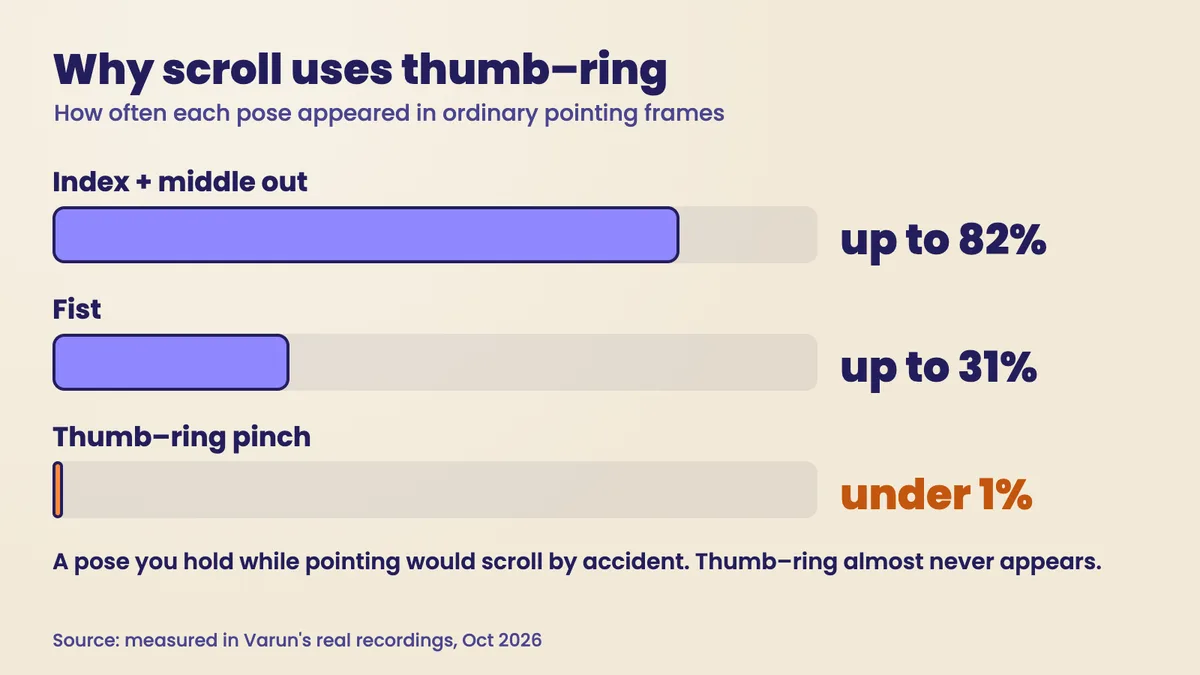
The obvious scroll gesture is two fingers out, like a trackpad. It was rejected on data. The scroll pose was chosen from real recordings of ordinary pointing: a thumb-to-ring pinch appeared in under 1% of those frames, a fist in up to 31%, and "index and middle out" in up to 82%. A gesture your hand makes by accident most of the time would scroll by accident most of the time. Thumb to ring almost never happens while you point, so it is safe to bind to an action.
Picking the pose from recorded false-positive rates instead of by feel is what I mean by AI Reliability Engineering: measure what the model actually reports before you let it press a button for you.
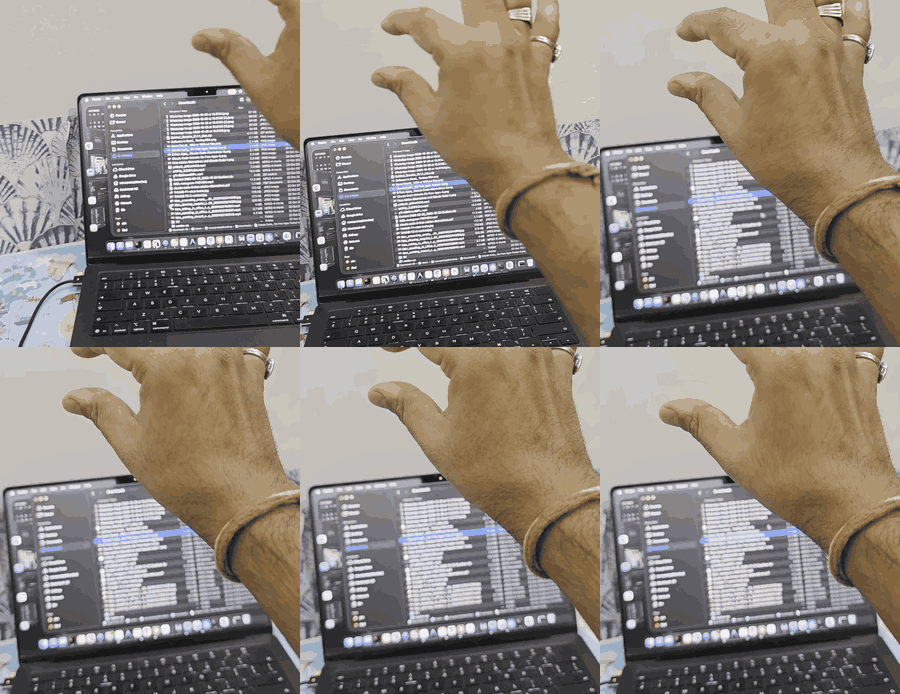
The numbers: where the time goes
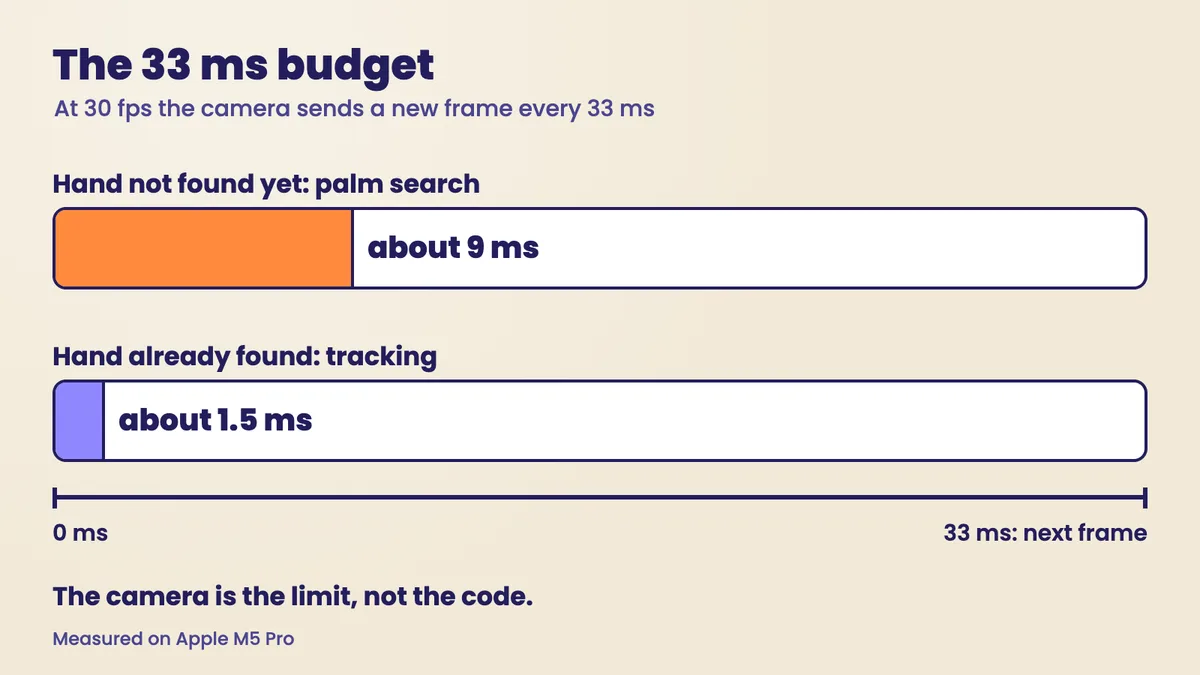
Measured on an Apple M5 Pro, finding a palm in a fresh picture takes about 9 ms. Tracking a hand that's already been found takes about 1.5 ms, which is why the tracker searches near the last position first and only falls back to the full palm search when that fails. The camera delivers a frame every 33 ms (30 fps). So the code finishes long before the next picture arrives, and the camera sets the pace.
Two caveats belong next to those numbers. They are from one machine. And the models run inside ONNX Runtime, a separate engine; Rust drives it, prepares the pictures and does everything after the model answers.
Install and run it
You need a Mac with a camera and Rust installed from rustup.rs. Then four commands:
git clone https://github.com/qualixar/touchless-mac.git
cd touchless-mac
bash scripts/get-models.sh
cargo run --release
get-models.sh downloads the two hand models and checks their SHA-256 fingerprints. The first build takes a few minutes while Cargo compiles the crates. Then macOS asks for two permissions for the app you started it from, usually Terminal: Camera, and Accessibility, which lets the app move the mouse and press keys. If one is missing, the app tells you which and where to switch it on. Then it speaks the four corners, and your hand is the mouse.
To check your install without a camera, run the same hand finder on Google's public MediaPipe sample photo:
curl -sfLO https://storage.googleapis.com/mediapipe-tasks/gesture_recognizer/pointing_up.jpg
cargo run --release -- --selftest pointing_up.jpg
Each release also has a ready-made Apple Silicon build. It isn't signed by an Apple developer account yet, so macOS quarantines it; the release notes give the command to clear that.
Honest limits
It's been tested on Apple Silicon, on an M5 Pro. Intel Macs are untested. The ready-made build is unsigned. It hasn't been tested with assistive-technology users, so please don't treat it as an accessibility tool until people who rely on one have tried it. Very small targets, like a window's close button, take practice. And when your hand rests, the cursor still wobbles by a few points.
Air gestures are a different interface from touch. For pointing, clicking, opening things and switching apps, it works. For pixel-precise work, use the trackpad.
FAQ
Does it send my camera to the internet? No. Both models run on your Mac through ONNX Runtime. The only download is the two model files, once, checked against fixed SHA-256 fingerprints.
Is this hand tracking with the official MediaPipe Rust SDK?
No. It uses OpenCV's ONNX conversions of the MediaPipe palm detector and hand landmark model, run through ONNX Runtime with the ort crate. The Rust code around the models (picture preparation, tracking, smoothing, gestures and input) is in the repo.
Do I need to know Rust?
Not to use it; the four install commands are enough. To learn Rust, follow the chapter tags with the film. The examples/ folder runs without a camera.
Does it turn my Mac into a touchscreen? No. Your hand never touches the screen. A camera watches your hand in the air and the program turns what it sees into mouse and keyboard events.
Which Macs does it work on? It was built and tested on Apple Silicon (an M5 Pro) with the built-in camera. Intel Macs are untested.
What if scrolling feels backwards, or the cursor too fast?
Run it with --invert-scroll, or with --speed and a smaller or larger value. Run --recalibrate to measure your reach again.
What we build next
That's the whole app, built from an empty folder: Cargo gave it sight, a struct gave 21 loose points their names, mut marked what could change, Option let the cursor wait, enum and match caught a forgotten gesture, and Result turned a refusal into an instruction.
Episode two is yours to pick. What would you control with your hand first? Answer under the video or in the repo's issues, in Rust or in anything else. The idea most people ask for is the one we build next.
Film: No Touchscreen Needed: Control Your MacBook With Your Hand · Code: qualixar/touchless-mac
Credits: Google MediaPipe hand models, in OpenCV's ONNX conversions (Apache 2.0). The One Euro filter is by Casiez, Roussel and Vogel. Crates: nokhwa, ort, image, enigo, dirs. Not affiliated with Apple or Google.
Varun Pratap Bhardwaj builds AI Reliability Engineering tools at Qualixar. ORCID 0009-0002-8726-4289